

DSH MCP Mgr
☆ 0MCP server manager for DeepSeek Harness — workspace mcp.json discovery, hot sync, and a web settings UI.
Get this plugin
Review the source, then continue to the publisher.
About this plugin
Source snapshot 8/16/2026dsh-mcp-mgr
English | 中文
A workspace-level MCP manager for DeepSeek Harness: declare MCP servers in each workspace's .dsh/dshmm/mcp.json (Claude/Codex-style mcpServers format), auto-discovered and dynamically registered as dsh plugin instances, with a management UI in the settings page.
Features
- Workspace MCP: auto-discovers
mcp.jsonunder every registered workspace, hot-syncs on file changes, and unloads on workspace removal - Profile MCP display: unified display and management of non-workspace mcp-client registrations (profile patch / bundle /
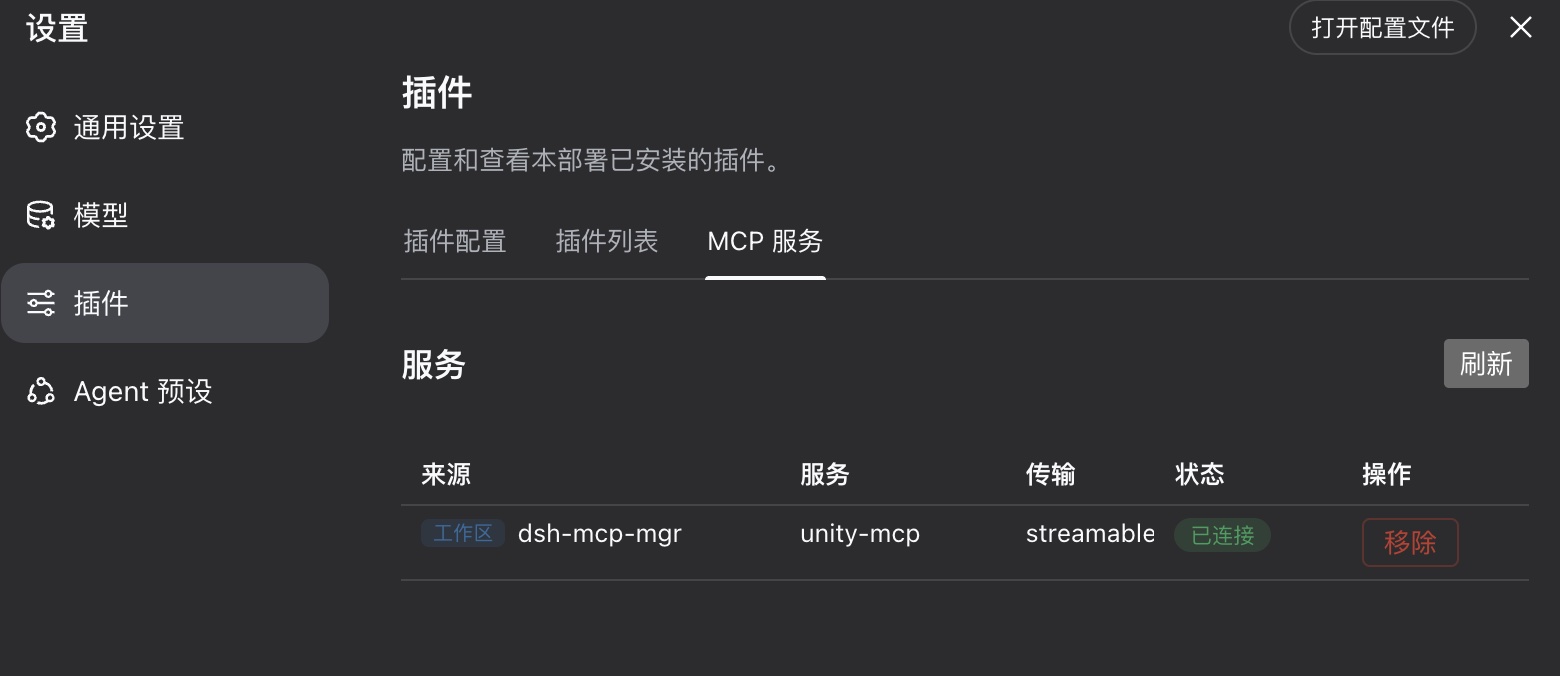
--patch) - Settings tab: MCP server list — source, status, inspect and remove
- Strict mode: when checked, only the current workspace's (the sidebar-selected session's workspace) MCP servers are enabled; switching workspaces unloads the others. Off by default (all workspaces coexist)
- Workspace MCP servers are registered under dsh's standard
mcp__<serverName>__<tool>naming, so multiple servers and sources are naturally isolated
Install & uninstall
Install:
npx @deepseek-ai/dsh plugin --profile web add dsh-mcp-mgr
Start:
npx @deepseek-ai/dsh web
Uninstall:
npx @deepseek-ai/dsh plugin --profile web remove dsh-mcp-mgr
Workspace configuration
The plugin auto-detects .dsh/dshmm/mcp.json at the workspace root, for example:
{
  "mcpServers": {
    "unity-mcp": { "type": "http", "url": "http://localhost:8090/" },
    "filesystem": { "type": "stdio", "command": "npx", "args": ["-y", "@modelcontextprotocol/server-filesystem", "/data"] }
  }
}
- A missing
typeis treated as remote Streamable HTTP;${VAR}environment expansion is supported - The stdio server's cwd defaults to the workspace root
serverNamemust be globally unique; a later duplicate fails loudly (flagged as a conflict in the UI)
Development
Build:
# host plugin
tsc -p packages/dsh-mcp-mgr && node gen.mjs

# UI plugin (from the ui package directory)
tsc -p packages/dsh-mcp-mgr-ui && tsdown --config-loader tsx --env.DSH_BUILD_FACE client

# regression
node verify.mjs
Note: after changing src/types.ts (wire fields) you MUST re-run gen.mjs and rebuild the UI bundle — a stale typert client codec silently strips unknown fields (e.g. a lost connected keeps the status wrong forever).
Local (source) install verification and uninstall:
# install
node scripts/install.mjs

# uninstall
node scripts/uninstall.mjs
Design docs live in Doc/requirements.md.
Related DeepSeek Harness Plugins
Browse UI & Design →
A next-generation, source-available AI workspace with a self-evolving agent runtime for editable code, design, presentations, websites, and video—a Codex alternative that integrates DeepSeek Harness for subagent delegation, combining iPolloWork’s complete AI workbench with DSH’s specialized agents and both plugin ecosystems in one workflow.

The first vision plugin for DeepSeek Harness, and the vision bridge for every text-only coding agent. Paste an image, get structured JSON evidence (OCR, layout, semantics).

为纯文本模型"看图“设计更好的视觉工具箱和技能,支持多图理解,图片问答,前端UI还原、GUI 自动化等,并可选无缝接入多个主流agent,直接识别粘贴图片| A vision toolkit and skill designed for text-only llms — image Q&A, long-screenshot OCR, frontend UI restoration, and GUI automation, with optional seamless integration for Codex, Claude Code, Pi, Oh My Pi, and OpenCode

Eyes for text-only DeepSeek Harness agents: built-in free vision chain (no key) + pixel-level vision tools (Q&A, grounding, crop, pixel diff, colors, OCR, SVG trace, cutout, screenshots). One-command install, no Python, image turns work like ordinary tool-calling turns.