

DSH Code Review
☆ 2DSH Web 插件:git diff 一键打开独立双列 Code Review 页,支持语法高亮与行内评论 | DSH web plugin: one-click standalone two-column code review page for git diff, with syntax highlighting & inline comments
Get this plugin
Review the source, then continue to the publisher.
dsh plugin --profile web add @yangzhe1991/dsh-code-reviewAbout this plugin
Source snapshot 8/18/2026dsh-code-review
English | 中文




dsh-code-review is a browser plugin for the DSH (DeepSeek Harness) web UI that turns git diff output in a conversation into a one-click code review page in its own browser tab — a two-column, human-friendly view (old file on the left, new file on the right, both with line numbers), free from the chat window's width/height limits.
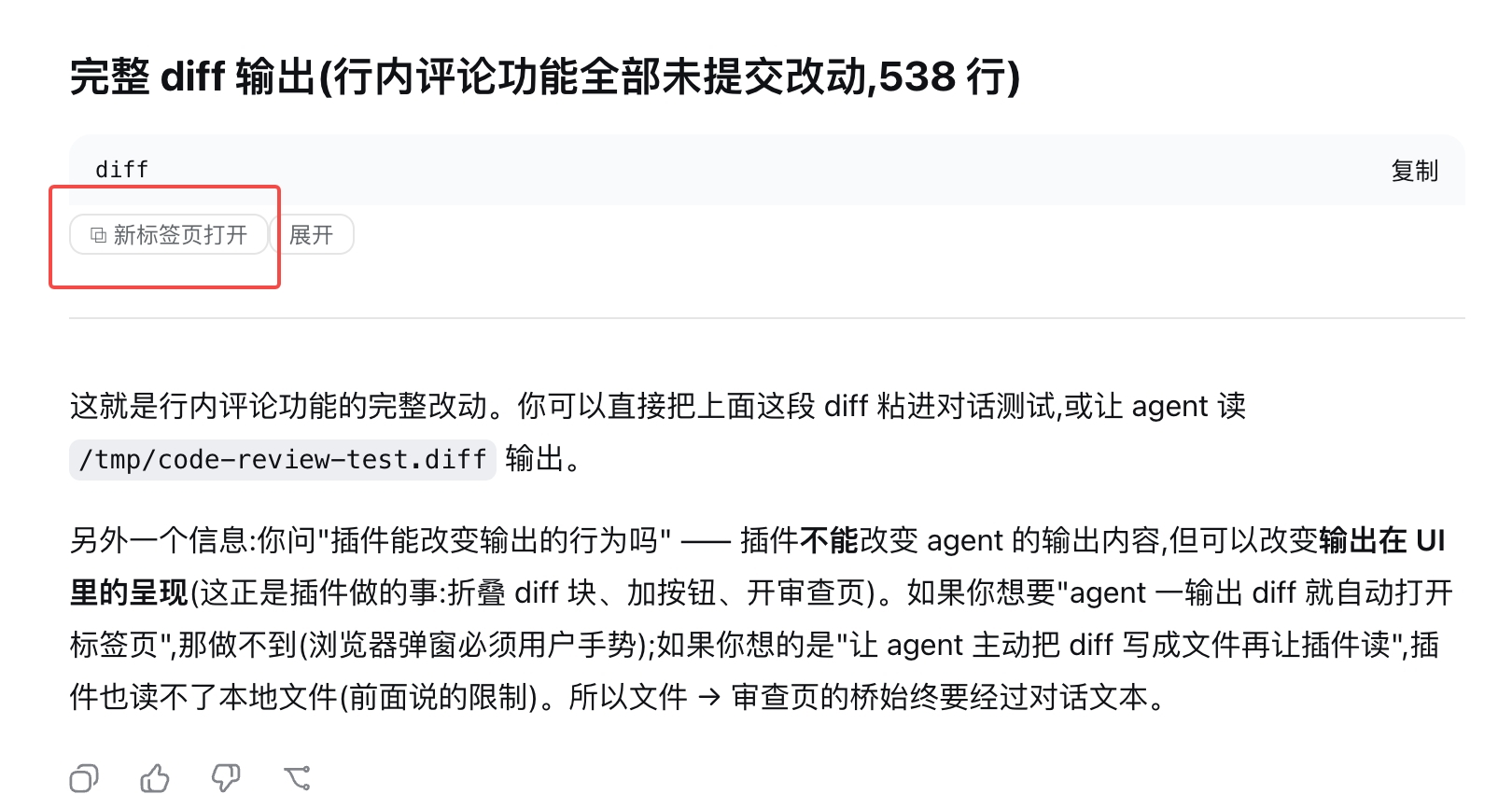
The conversation itself stays untouched: when a git diff shows up, a small "open in new tab" button appears on the block (a markdown diff code block, or the bash tool row that produced the diff — even while collapsed). One click opens the review page.
Features
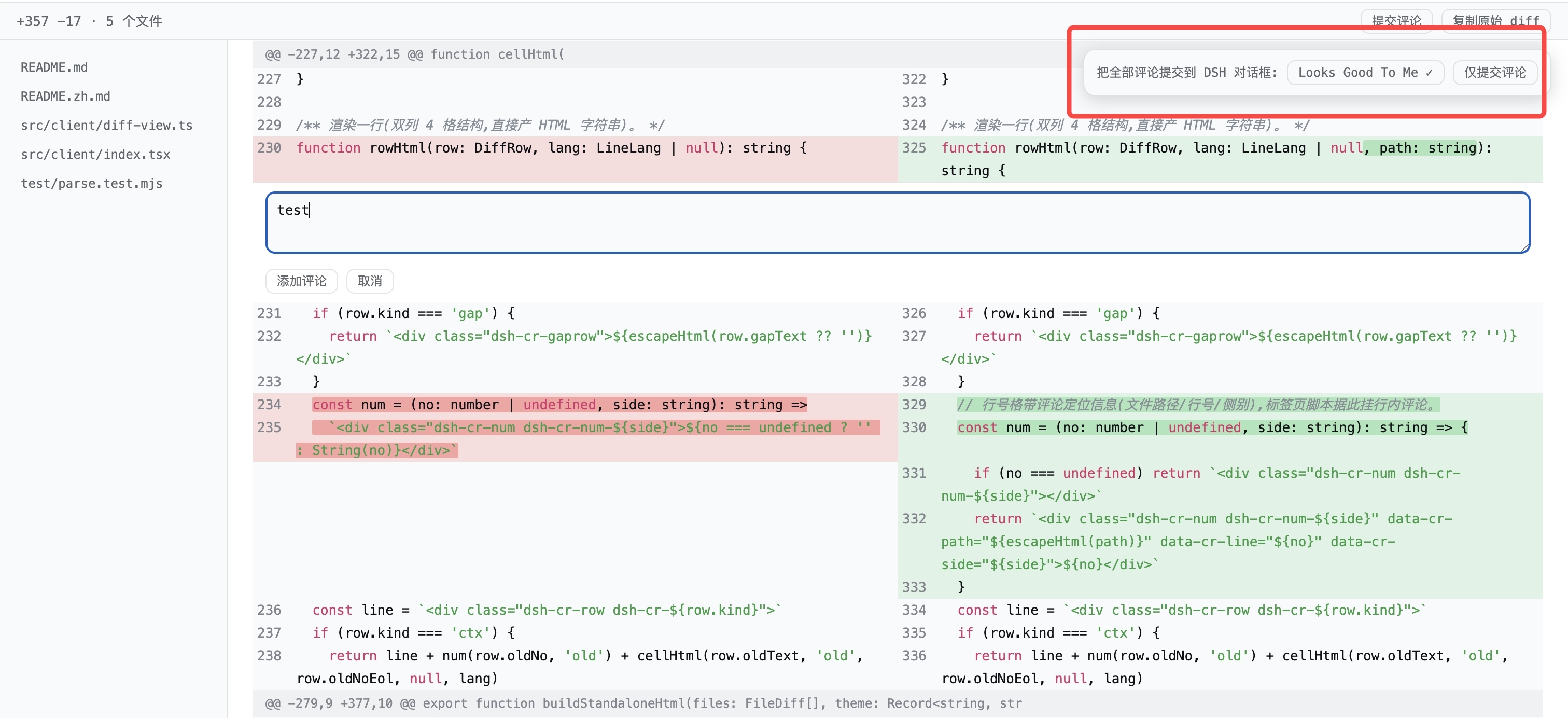
- ⬅️➡️ Two-column side-by-side view — the old file on the left, the new file on the right, each with its own line numbers, exactly like a GitHub split review.
- 🟥🟩 Add/remove coloring — deleted lines get a red background, added lines green; a consecutive delete-then-add block is paired row-by-row into a single "changed" row (the GitHub alignment).
- 🔎 Inline character-level highlight — when only a few characters change on a line, exactly those characters get a stronger red/green background (common prefix/suffix trimmed).
- 💡 Basic syntax highlighting — keywords, strings, comments, and numbers are colored using the official shiki theme variables (language inferred from the file extension; unknown languages just skip syntax coloring).
- 🧷 Hunk-aware — every
@@hunk header is kept as a separator row with its original section name; multiple files in one diff are split into per-file sections with a status badge (modified / new file / deleted / renamed / binary). - 🗂️ File navigation sidebar — every file is listed on the left; click to jump.
- 📊 Stats bar —
+N −M · F filesin a sticky top bar, with a "copy raw diff" button and a collapsible raw-text section at the bottom. - 🎨 Theme-matched — the page inherits the DSH theme colors at open time, so light/dark mode stays consistent.
- 📜 Full-page scrolling — no height caps; thousands of lines scroll naturally, and long lines wrap.
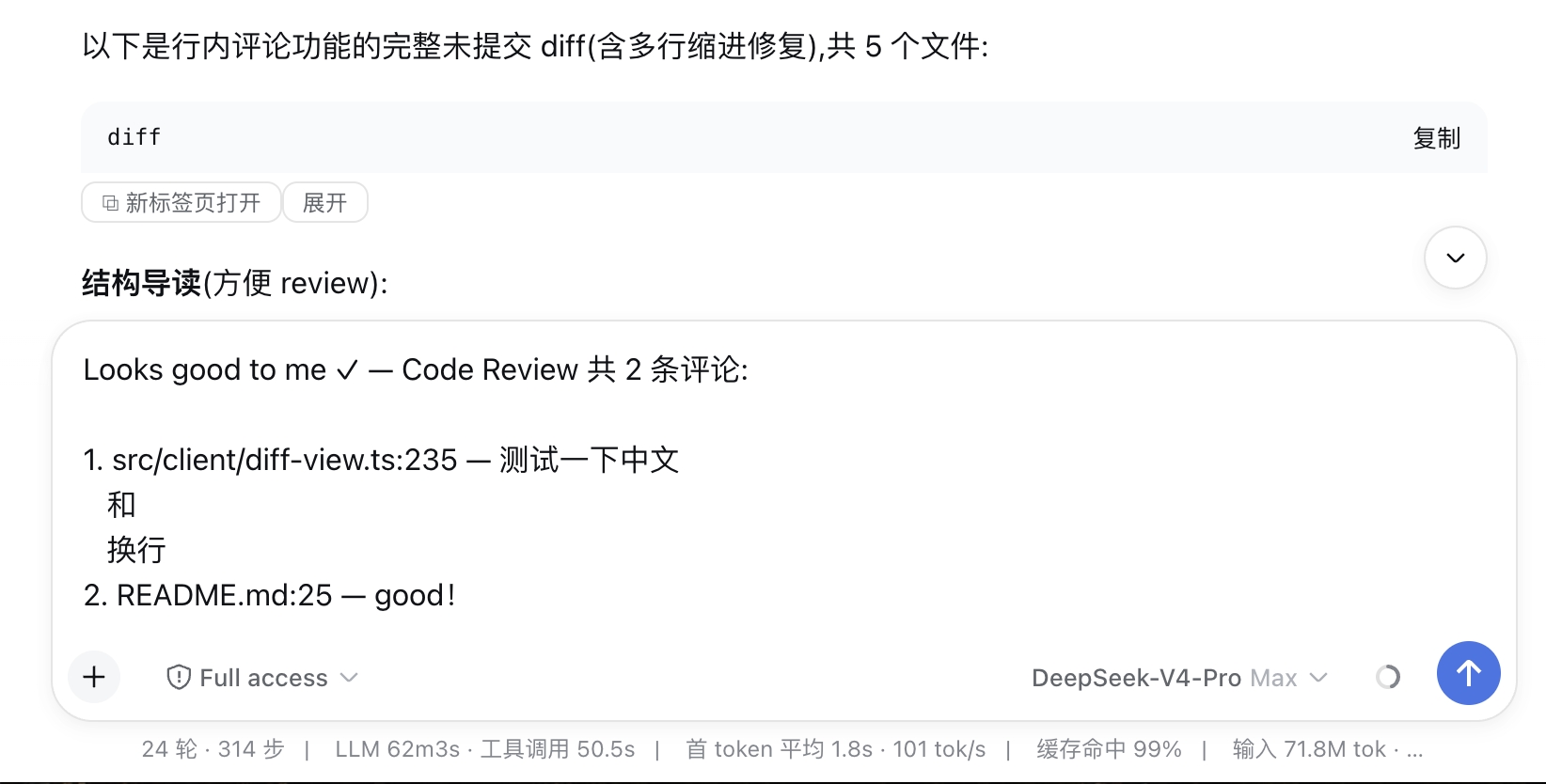
- 💬 Inline comments — hover any line number and click to add a comment right on that line (like GitHub reviews). Comments accumulate with a per-line count badge; when done, submit them all at once — as Looks Good To Me ✓ or plain comments — and they are written into the DSH composer as
file:line — commentlines, ready to send to the agent. - 🌐 Bilingual UI — follows the DSH interface language (official locale service): a Chinese UI gets Chinese buttons and review page, everything else gets English.
Screenshots
Where the button appears
- Markdown code blocks in assistant messages — a
```diff/```patchfence, or any code block whose content looks like a git diff (e.g. pasted inside atextfence). The block is collapsed by default (just the title row + buttons), with an "expand/collapse" toggle if you want to read the raw text inline. - Bash tool rows — when the agent runs
git diffin a bash tool, the button is added to the tool row (visible even while the row is collapsed; detected from the conversation data, since a collapsed row has no output in the DOM). The terminal card in the details panel gets one too.
Streaming output is handled gracefully: the button only appears once the content has been stable for ~1 second, so half-streamed diffs never produce a broken page.
Install (30 seconds)
dsh plugin --profile web add @yangzhe1991/dsh-code-review
Restart the Web GUI (Ctrl+C the dsh web process and run it again) and refresh the browser tab. (dsh plugin runs pnpm add and auto-appends the bundle to dsh.profile.bundles.)
For local development, install from a path instead — the link: spec keeps a live symlink so edits take effect after a rebuild + restart:
dsh plugin --profile web add link:/path/to/@yangzhe1991/dsh-code-review
How it works
The plugin registers a root-scope shell.overlay seat that renders nothing and watches the whole document with a MutationObserver. For every .md-code-block and [data-terminal] element it runs a stability-debounced check; candidates get a small button appended to the block's banner/header (never replacing official nodes, so React's reconciliation stays safe). Collapsed bash tool rows are handled from the data layer: a session-scope seat subscribes to the conversation snapshot and records settled bash results that look like a diff.
Clicking the button synchronously builds a self-contained HTML page (inline styles + inherited theme variables + the two-column content, all HTML-escaped) and opens it via a Blob URL — no server route needed, and the synchronous window.open inside the click gesture is not popup-blocked. The parser is a pure module (src/client/diff-parse.ts, unit-tested in test/parse.test.mjs) and supports: multi-file diffs, hunks with line-number tracking, delete/add pairing into changed rows (uneven counts degrade to single-side rows), \ No newline at end of file markers, new/deleted/renamed/binary files, bare patches without a diff --git header, and commit-message prefixes (git show output).
Development
npm install
npm run build   # esbuild → lib/index.js (host half) + lib/client.js (browser half)
node test/parse.test.mjs         # parser + standalone HTML unit tests
node test/client-smoke.test.mjs  # bundle smoke test (mock __ModuleLoader__)
Browser-side changes only need a rebuild; the host serves lib/ live, so a hard refresh (⌘+Shift+R) picks them up. Profile-level changes (package name/bundles) require restarting dsh web.
Related DeepSeek Harness Plugins
Browse Developer Tools →
为 DeepSeek Harness (DSH) 插件生态打造的现代化桌面端解决方案。万物皆「插件」,桌面本身也是「插件」。

The plugin market inside DeepSeek Harness — browse, search, one-click install · DSH 可视化插件市场

Whale Girl skin series for DeepSeek Harness. 适用于 DeepSeek Harness 的,鲸鱼娘系列皮肤。

把 DeepSeek Harness 装进你的口袋:电脑上跑 dsh web,手机扫码即同步访问(局域网 + 公网,实时同屏)Put DeepSeek Harness in your pocket: run dsh web on your computer and access it synchronously by scanning a QR code on your phone (LAN + public network, real‑time screen mirroring)