

dshcode
☆ 714Community desktop companion for DeepSeek Harness — one-click Electron app for macOS and Windows
Get this plugin
Review the source, then continue to the publisher.
About this plugin
Source snapshot 8/18/2026DSHCode
English | 中文
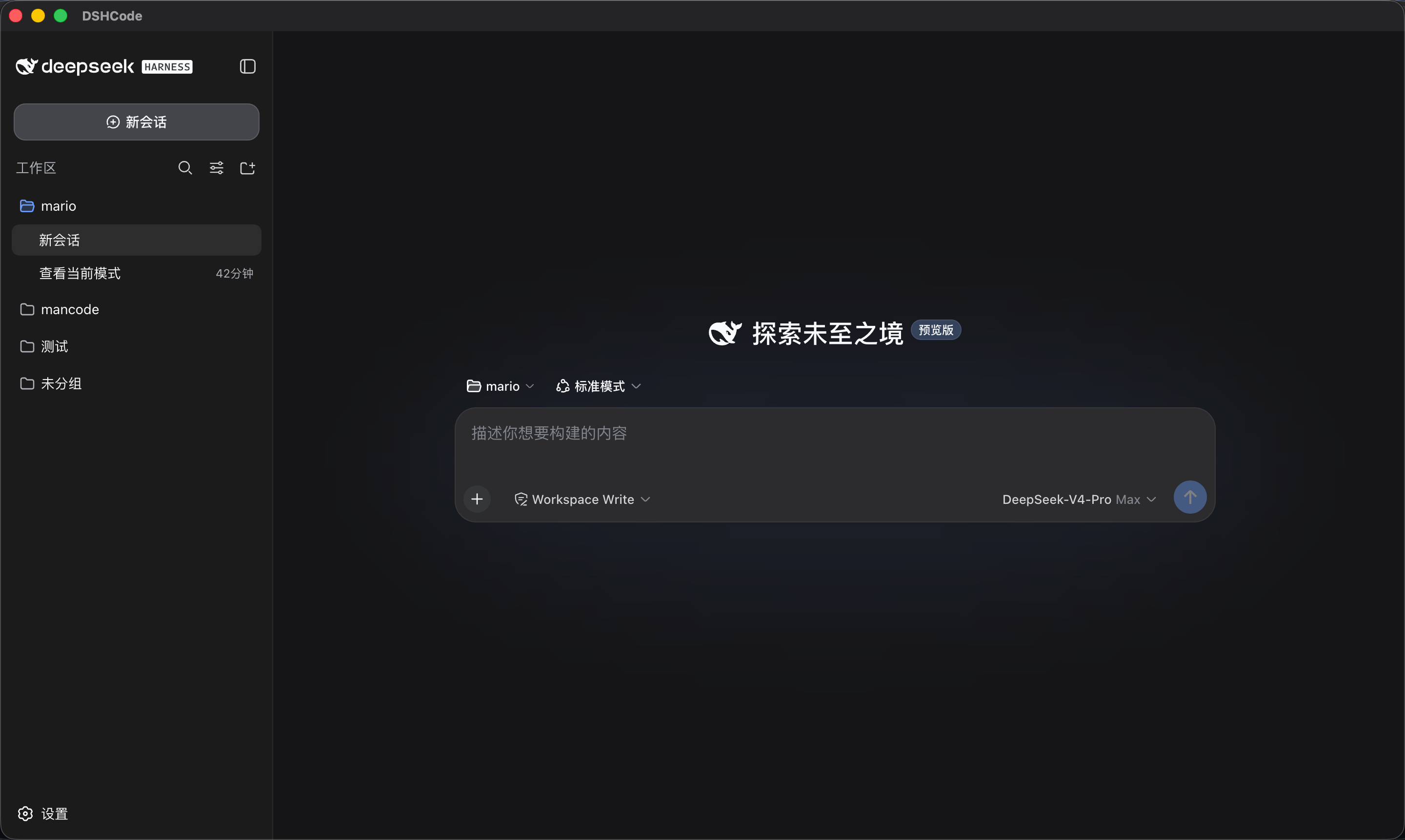
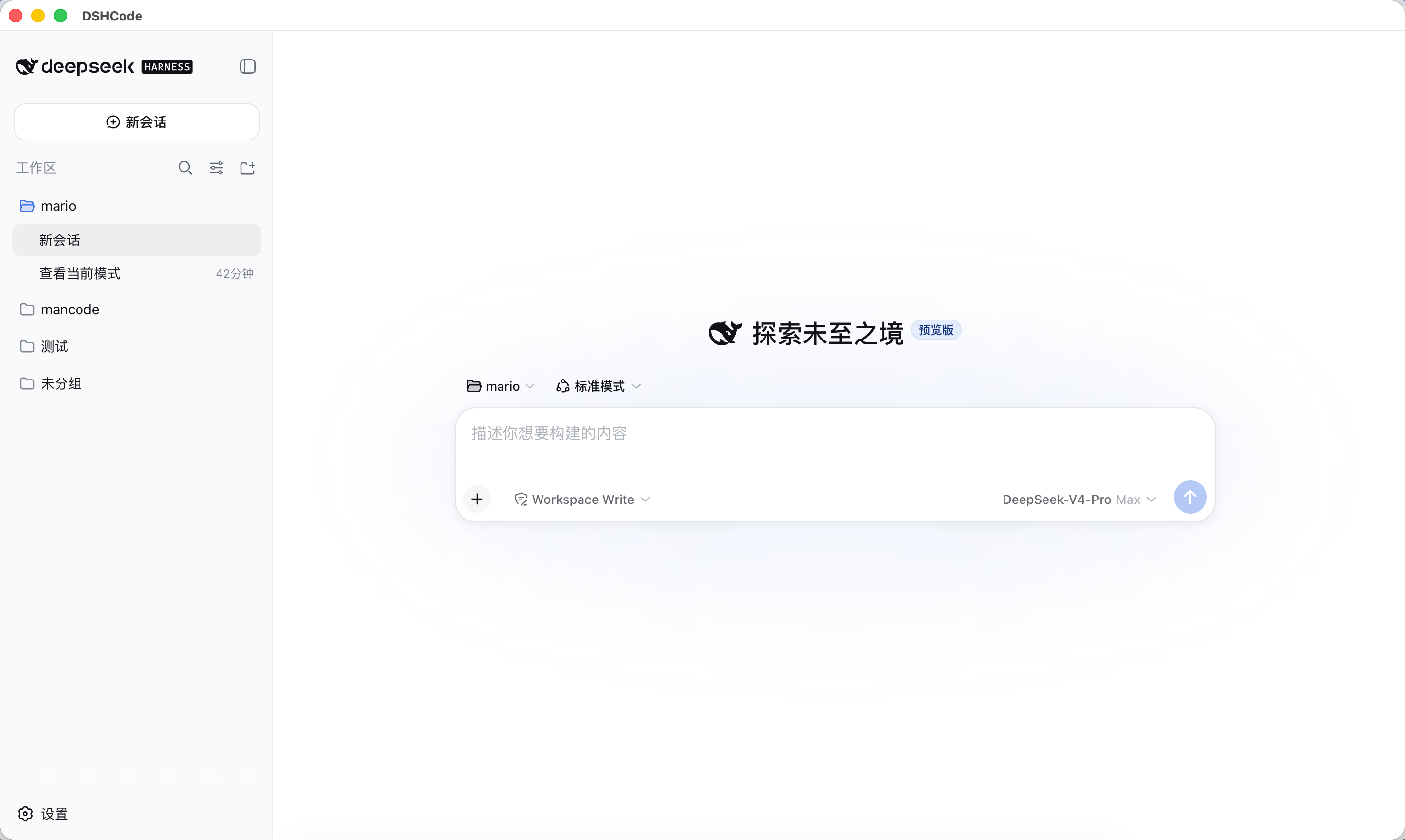
DSHCode is a community-maintained Electron desktop companion for the official open-source DeepSeek Harness project. It packages the upstream Web UI and plugin runtime as a one-click macOS and Windows application, so installed users do not need Node.js or a CLI.

Run
Install a DSHCode package, then open DSHCode from the macOS Applications folder or Windows Start menu. The application starts and stops its bundled Web profile itself; installed users do not run a terminal command.
Run from source
Developers can still run the upstream Web entry from a repository checkout:
git clone https://github.com/whitelonng/dshcode.git
cd dshcode
pnpm install
pnpm run build
pnpm dsh web
The command prints the local Web UI address. See the Web UI guide.
Desktop application
Opening DSHCode starts the bundled Harness Web profile and displays it in a hardened Electron window. The desktop shell is intentionally small; product behavior and the Web UI remain in the upstream packages so later upstream updates can be integrated without maintaining a second interface.
See the desktop application guide for architecture, platform targets, packaging, and current limitations.
Local service and ports
Each application launch starts an HTTP service inside the Electron main process. It binds only to 127.0.0.1 and asks the operating system for an available ephemeral port, so it does not reserve a fixed port or normally conflict with another local service. DSHCode permits one application instance, loads only its exact loopback origin, and disposes the Harness tree before the process exits; closing the application therefore stops the service and releases its port.
Build desktop packages
git clone https://github.com/whitelonng/dshcode.git
cd dshcode
pnpm install
pnpm run desktop:dist
Artifacts are written to .artifacts/desktop/release/. The repository also contains a manual/tag-triggered GitHub Actions workflow for macOS Apple Silicon, macOS Intel, and Windows x64 packages.
Project positioning
DeepSeek Harness (dsh) is the official open-source plugin-based agent harness developed by DeepSeek AI. DSHCode participates in its plugin ecosystem as a desktop companion distribution and uses the dsh-plugin and deepseekharness-plugin repository topics for discovery. It retains the upstream package names, copyright notices, architecture, documentation, and upstream Git remote so changes remain attributable and mergeable.
DSHCode is an independent community project. Unless DeepSeek grants explicit authorization, it is not an official DeepSeek release, endorsement, or certification.
Development
Start with the development guide, architecture documentation, and desktop application guide. For agents, follow AGENTS.md.
License and branding
The source remains available under the upstream MIT License. Redistribution must retain DeepSeek's copyright and permission notice; bundled third-party software and licenses are disclosed in THIRD_PARTY_NOTICES.md, and the desktop package includes both files.
The MIT software license does not by itself grant permission to use DeepSeek trademarks or logos as DSHCode branding. DeepSeek's Terms of Use (Chinese version) reserve those brand features. The screenshots and current preview icon identify compatibility with the upstream interface, not endorsement; obtain written permission or replace DeepSeek brand assets before distributing branded binaries.
Related DeepSeek Harness Plugins
Browse Automation →
DSHDesktop:DeepSeek Harness Desktop / DeepSeek Harness 桌面版

Agent OS: the agent gets smarter on its own. We just hold the line: Interview-gated, staged evaluation, budgeted evolution loop. MCP server, 14 runtimes: Claude Code, Codex CLI, Gemini CLI, OpenCode, Copilot, Kiro and more.

开放的侧边栏底座,支持三方拓展注册新侧边栏页面。内置文件渲染编辑/终端/侧边对话/Git/子代理页面 | Open sidebar foundation, supports third-party extensions to register new sidebar pages. Built-in file rendering/editing, terminal, side chat, Git, and sub-agent pages.

DSH 官方公众号收录的 TUI 补位插件:鲸鱼顶栏/实时状态/流式思考/双击 Esc 回滚/上下文进度+TPS。npm 一键装。 DSH official WeChat featured TUI plugin — whale bar, live status, streaming thoughts, double-Esc rollback, context bar + TPS. npm one-click.