

DSH Any Background
☆ 35Deepseek Harness 自定义主题插件,支持自定义图片/视频壁纸,对话框,侧边栏等透明度模糊度调整,全局主题色的色轮调整插件
Get this plugin
Review the source, then continue to the publisher.
dsh plugin --profile web add dsh-any-backgroundAbout this plugin
Source snapshot 9/15/2026dsh-any-background






English | 中文
A DeepSeek Harness appearance plugin: custom theme color, background wallpaper (image / video / algorithmically generated), and fine-grained per-surface opacity & blur controls. This release targets DSH 0.1.5-rc.2.
Screenshots
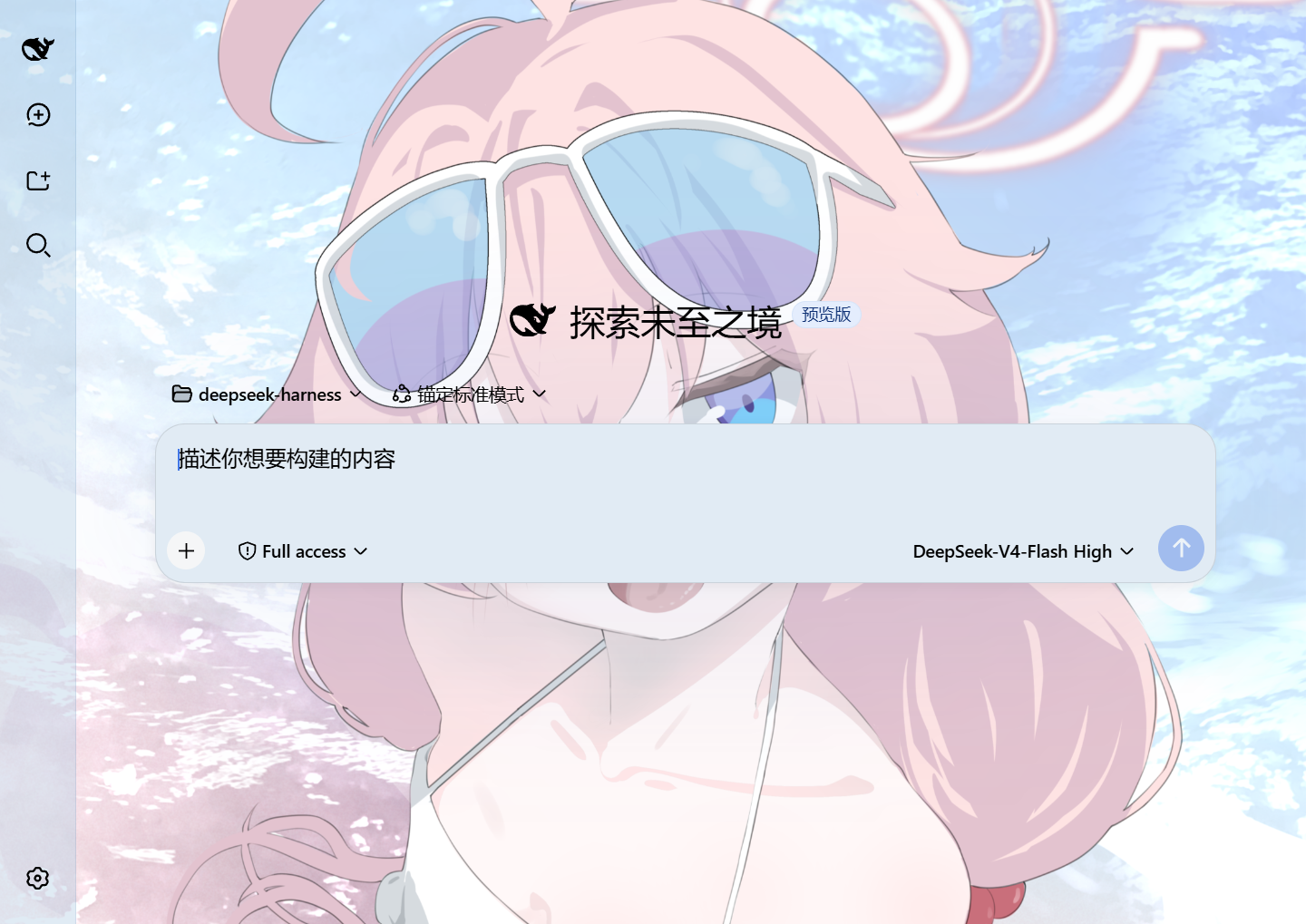
Custom homepage · wallpaper + theme color applied
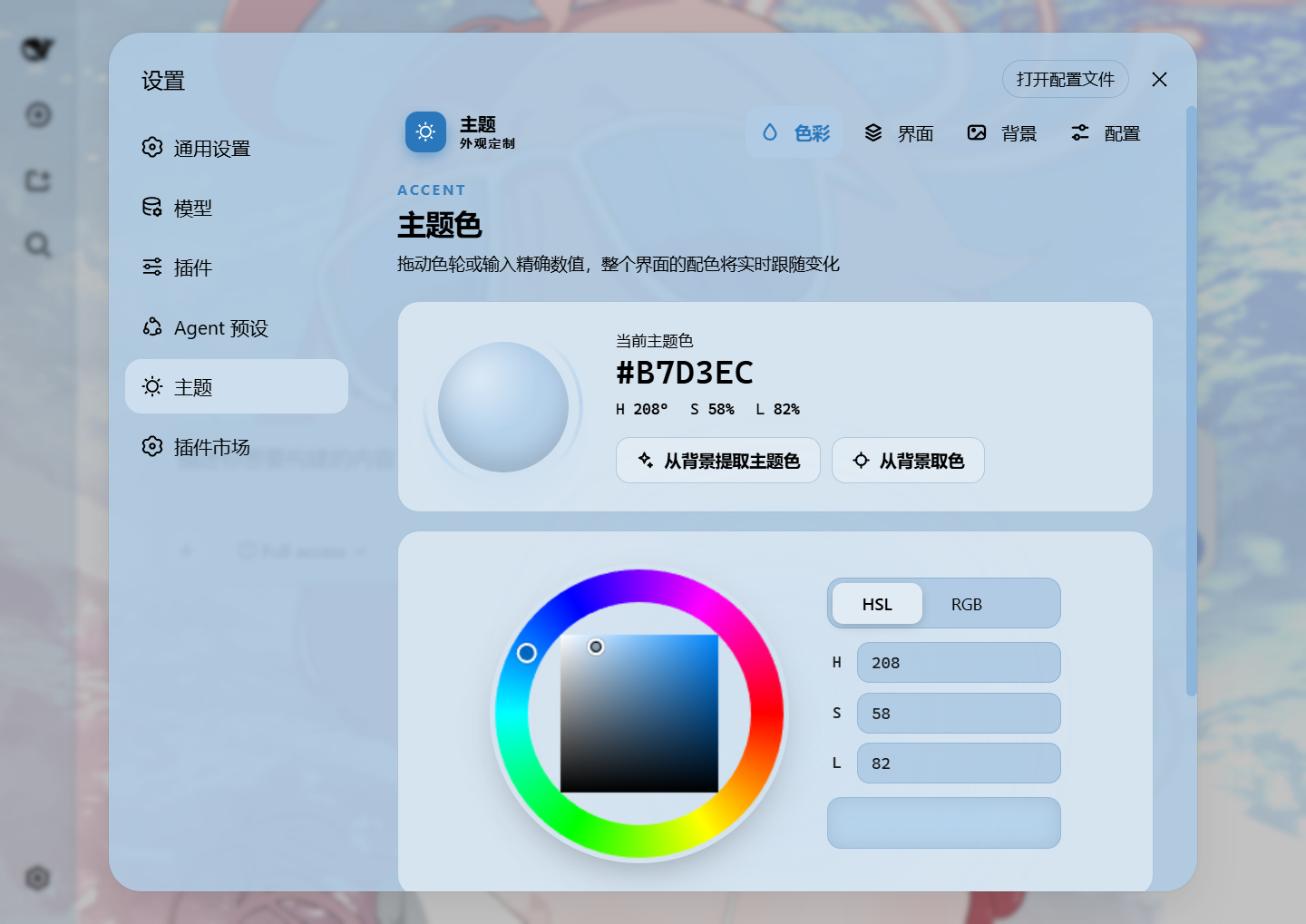
Theme color picker · PS-style wheel + precise HSL/RGB inputs
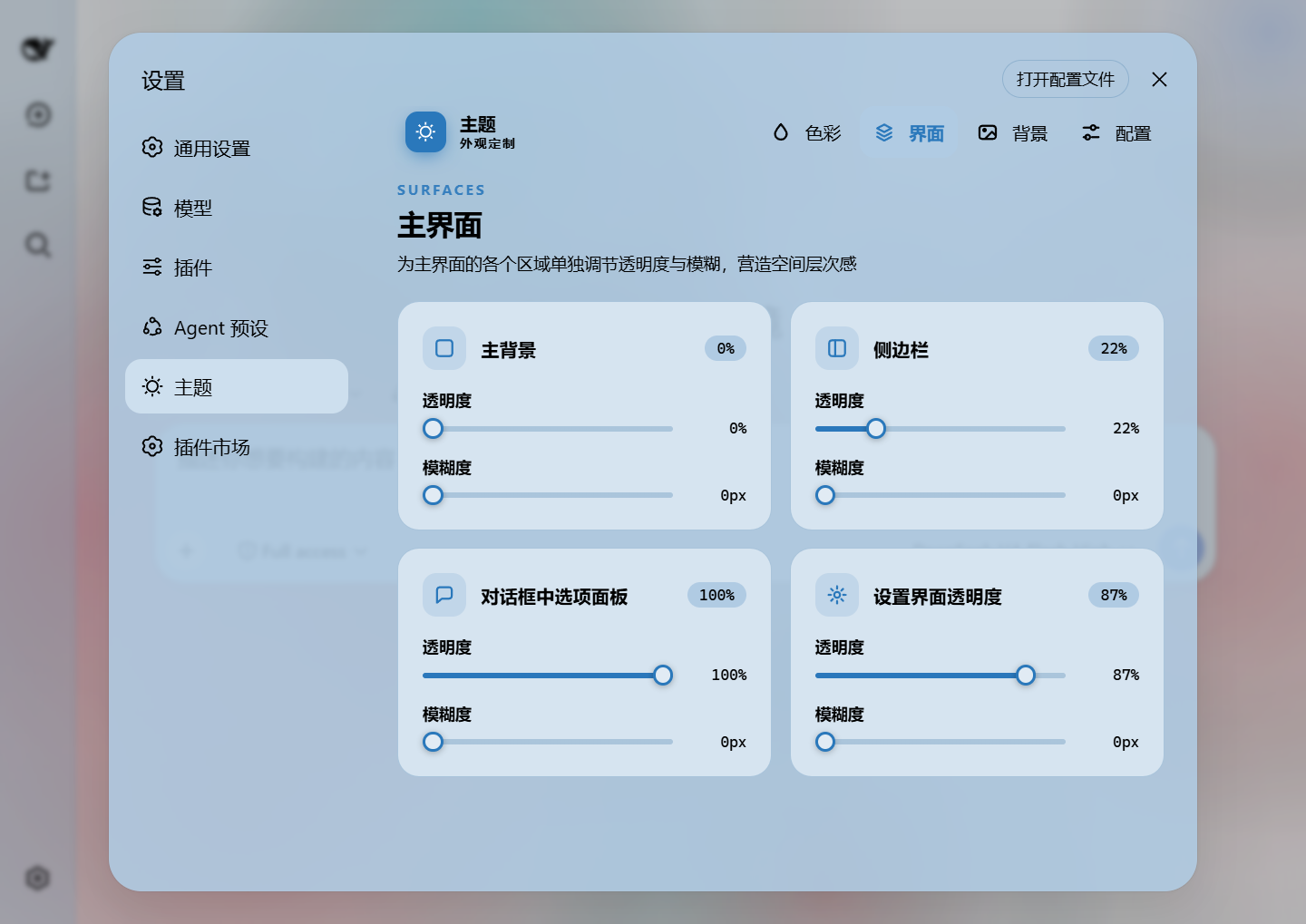
Per-part opacity and blur · main background, sidebar, cards, settings
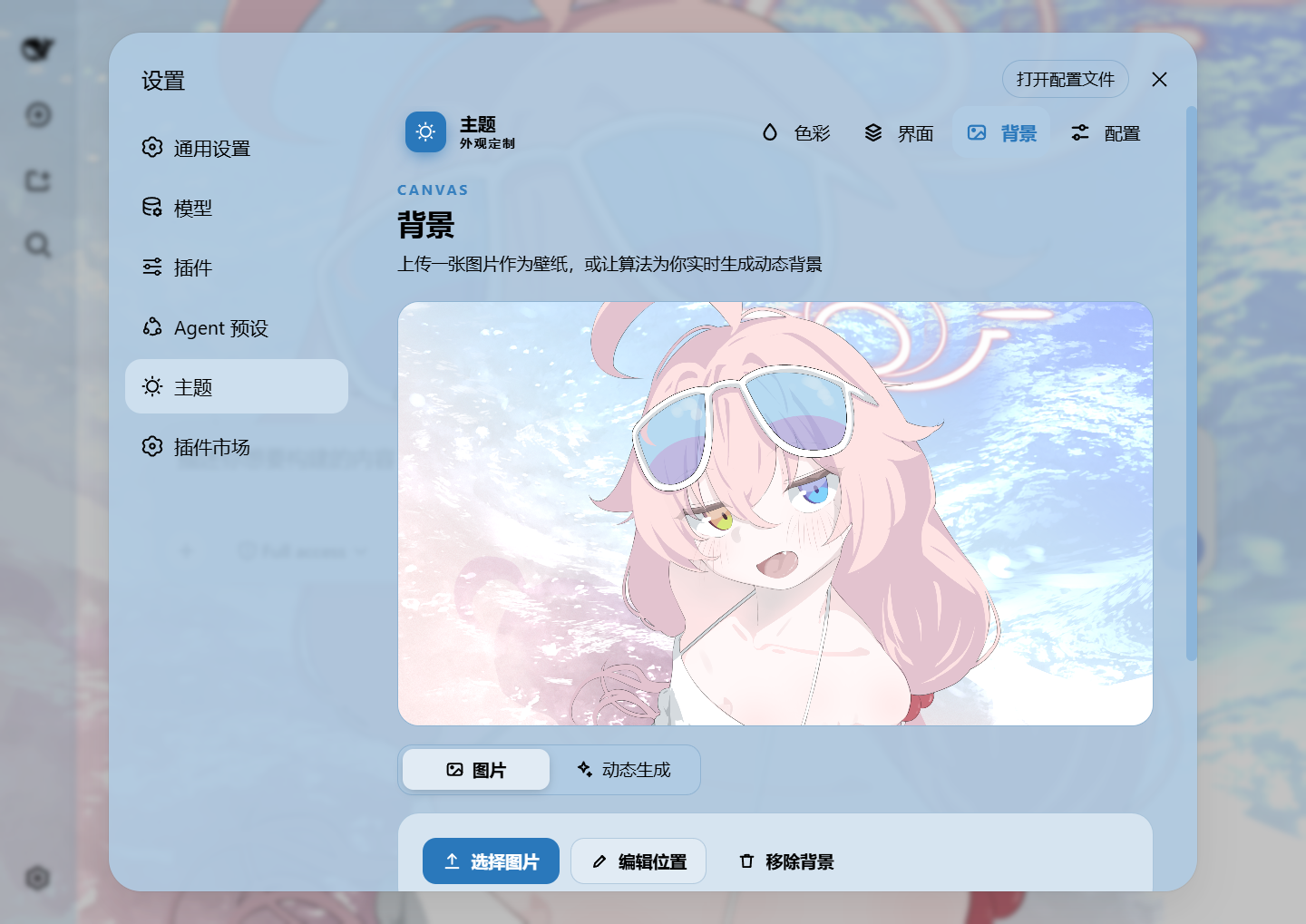
Background editor · image/video wallpapers support drag-to-pan and scroll-to-zoom
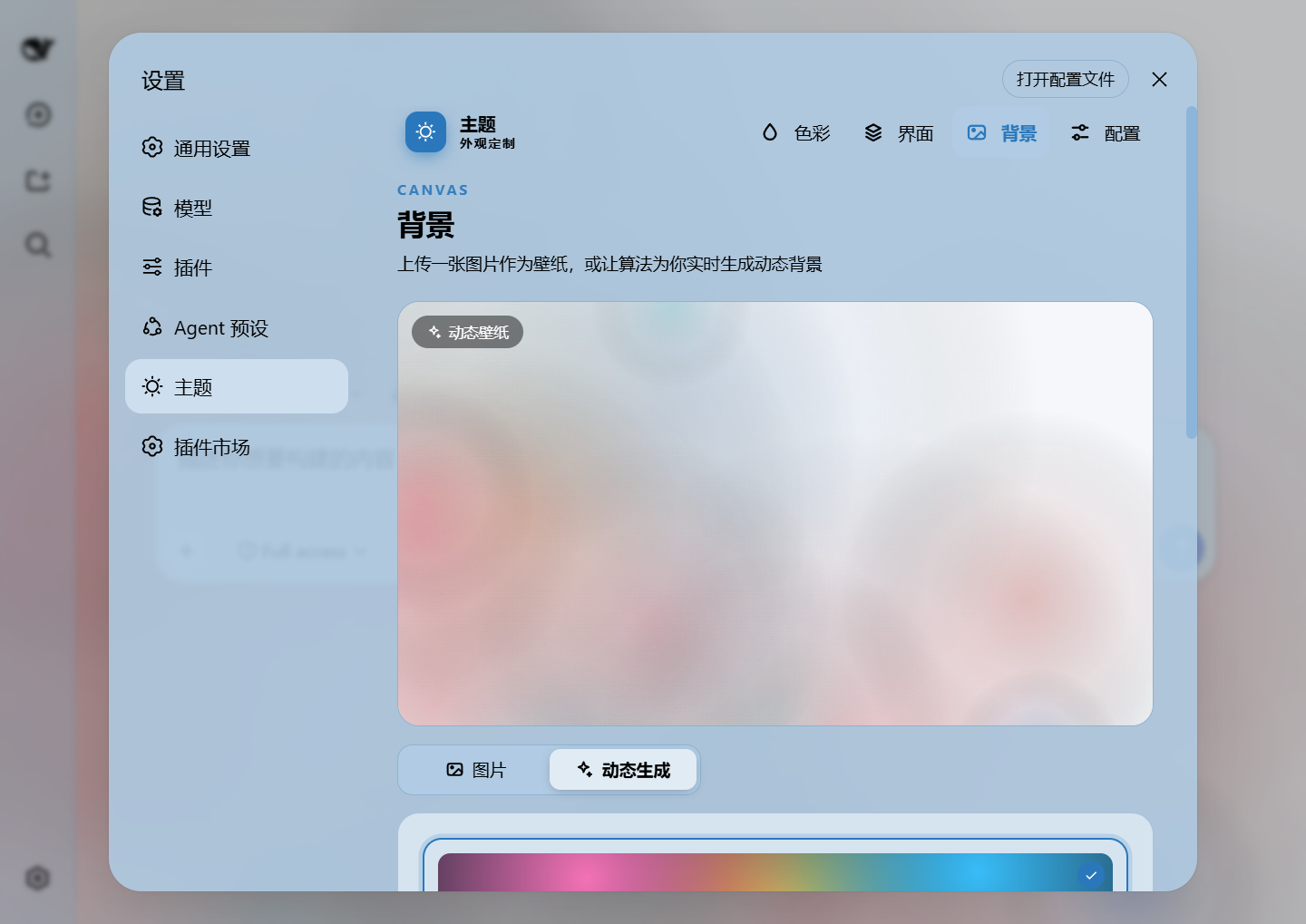
Generated dynamic background · mesh gradient / Shader / geometric presets
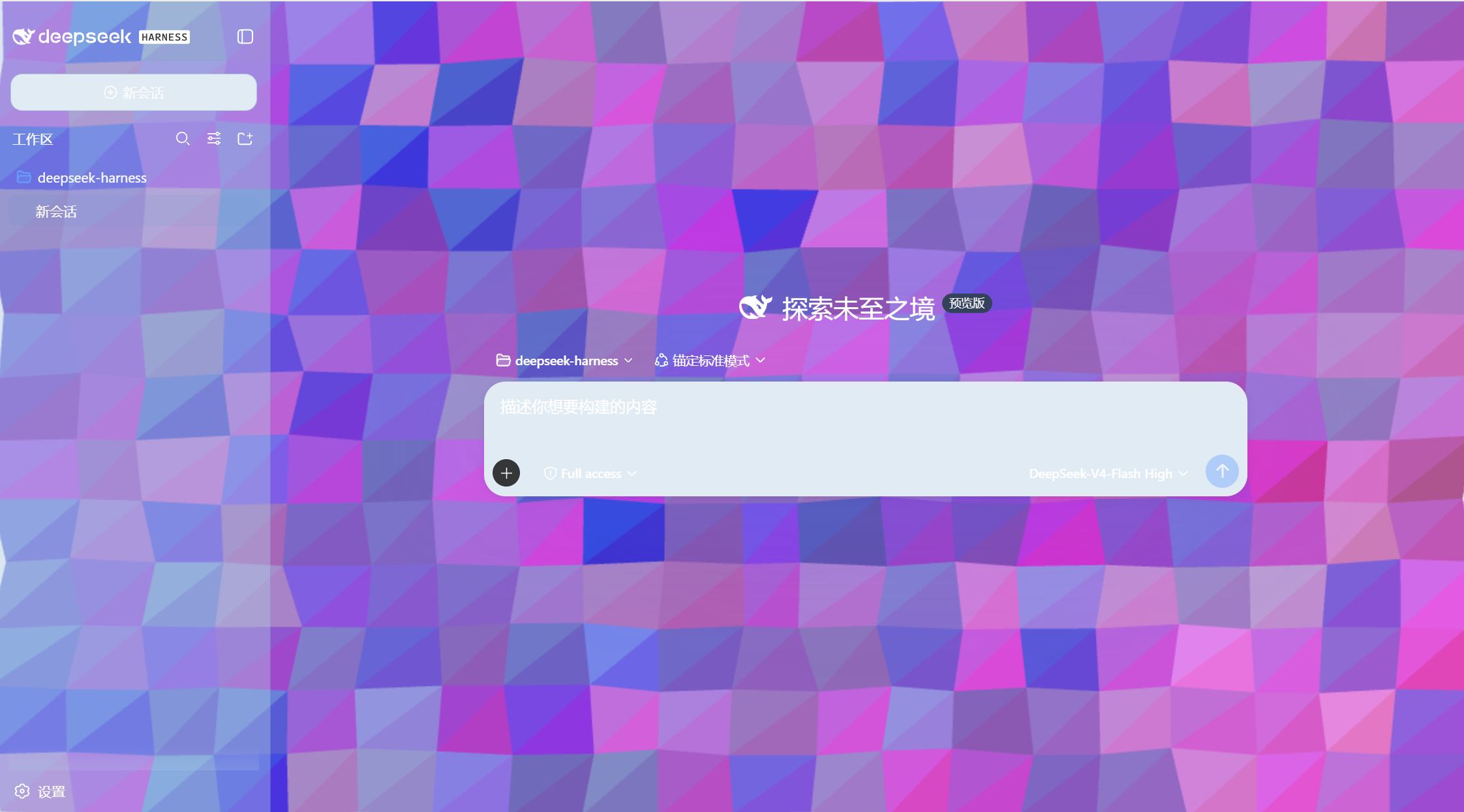
Generated dynamic background · geometric low-poly mode preview
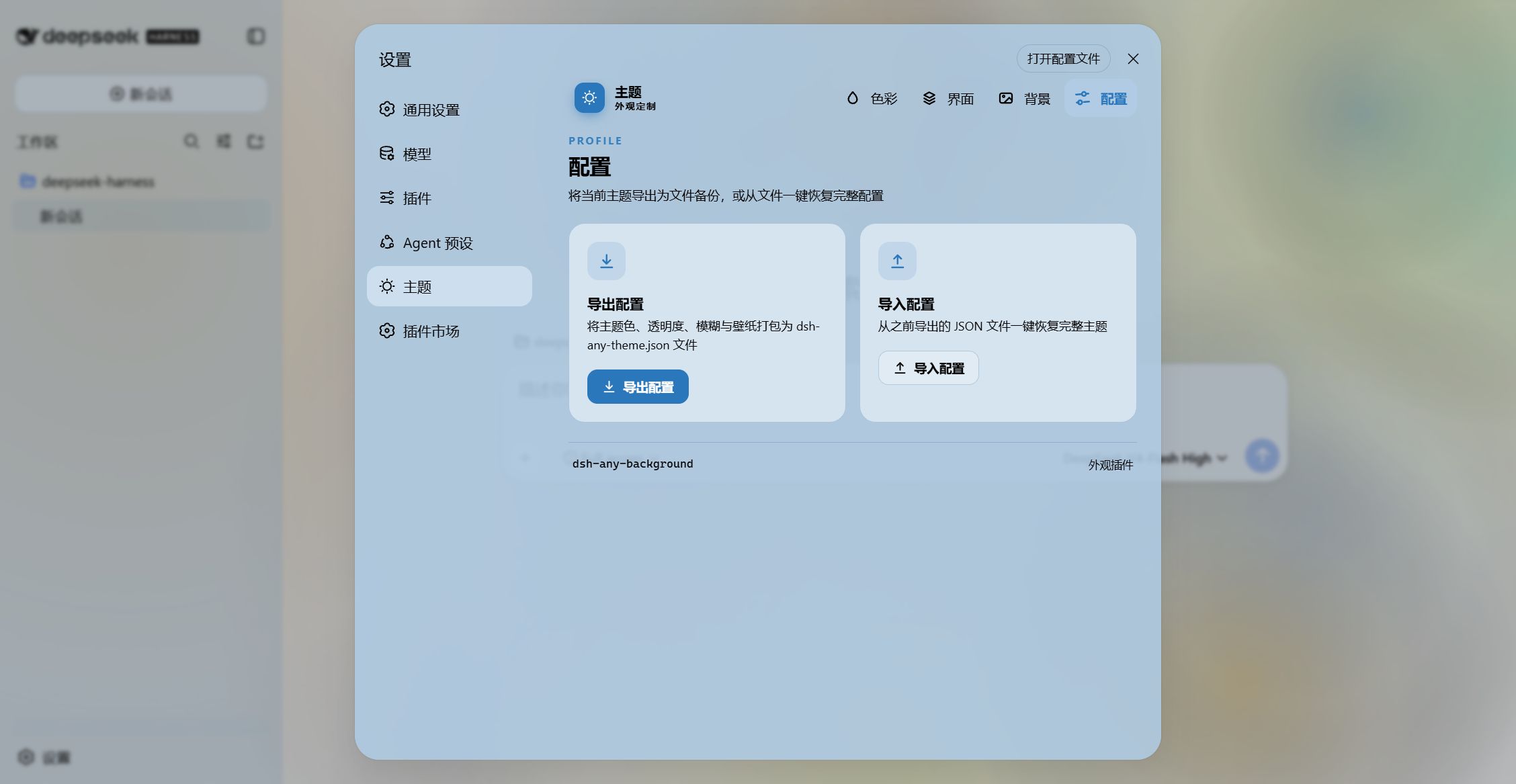
Export and import configs to share
Features
- PS-style Color Wheel — Pick hue on the ring, adjust saturation & lightness in the inscribed square. Generates 30+ CSS design tokens in real time.
- Precise HSL / RGB Input — Enter exact color values numerically with instant bidirectional sync to the wheel.
- Smart Color Extraction — One click derives a theme color from your wallpaper by sampling the visible region, quantizing, and filtering out gray / near-black / near-white pixels. Video wallpapers contribute via an auto-captured frame. Fully client-side.
- Eyedropper — Hover the wallpaper to preview a color and click to pick it as the theme color.
- Background Wallpaper — Upload any image as your wallpaper. Drag to pan and scroll to zoom inside a viewport-proportional editor.
- Video Wallpaper — Use a video as a live wallpaper: muted looping playback that survives refreshes (file persistence + HTTP streaming with Range seek), with an auto-captured frame powering the preview, theme-color extraction, and the position editor.
- Position Editor — One shared editor for images and videos: drag to pan, scroll to zoom, one-click reset. Image and video placements are stored separately and never overwrite each other.
- Layout Modes — Fit / Fill / Stretch / Tile / Center for both images and videos; in Fit mode the editor-committed framing stays consistent across window resizes and cross-monitor moves.
- Generated Dynamic Backgrounds — Choose mesh gradient, Shader, or geometric patterns with adjustable spread, intensity, and seed locking.
- Per-surface Interface Opacity — Independent sliders for the main background, sidebar, cards & panels (including the dropdowns and menus around the dialog), the input & controls (composer box, Cordis panel), the settings panel, the conversation text frame, the trajectory view, the better-sidebar workbench, and produced / highlighted content.
- Per-surface Interface Blur — Frosted-glass
backdrop-filterblur (0–60 px) per surface, including a real backdrop on the composer, the Cordis panel and popover surfaces via stable host selectors. - Produced / Highlights — Code blocks in conversation content (with their language banner), inline
codehighlight chips and produced chips share one opacity + blur slider. The opacity is the alpha of each surface's own background color (no second color stacked on top of the original), and the blur frosts that same layer so the wallpaper shows through the content. - better-sidebar workbench — With dsh-better-sidebar installed, a dedicated slider pair (
panelOpacity/blurs.panel) takes over its bottom workbench panel and the native right sidebar's surface tokens. Without that plugin the row is hidden and the sliders are inert. - Conversation View Cards — The message list is wrapped in a translucent card automatically, and the trajectory page gets whole-page opacity & blur controls, letting the wallpaper shine through the content.
- Theme Export / Import — One-click export to a self-contained
dsh-any-theme.json(config + wallpaper, video embedded as a data URL) and import to restore it anywhere. - Appearance Presets & Profiles — Six one-click presets (Default / Frosted glass / Minimal / Midnight / Cyber / Warm daylight) plus named profiles: save the current look and re-apply it anytime. A two-step confirm guards deletion.
- Wallpaper Rotation — Add images to a rotation pool (thumbnail picker included) and let the wallpaper change by shuffle or order on every refresh, daily, or weekly. Advancing copies the chosen image into the active wallpaper slot, so export/import and color extraction keep working unchanged.
- Day/Night Auto Switch — Assign a day profile and a night profile; the plugin switches automatically at fixed clock times or by following the OS dark mode.
- Forced Interface Scheme — Force light or dark token palettes regardless of the accent color's lightness; in
Autoboth the surface and font directions follow the accent's lightness (dark pick → light fonts, light pick → dark fonts), falling back to the wallpaper's perceived brightness when no color is picked. - File-based Persistence — All settings are stored on the filesystem under
~/.dsh/.dsh-any-background-data/, notlocalStorage. - Bilingual — Full Chinese / English UI with automatic locale detection.
- Theme Watchdog — Re-asserts the custom theme if the host resets it.
Changelog
v0.2.8
- Fixed: produced / highlight opacity and blur were lost on reload — The config shape is declared twice, once per half, and the node half (which sanitizes before writing to disk) never learned
producedOpacity/blurs.produced. The sliders stayed live in memory,writeConfigsilently dropped both fields, and the next load fell back to the defaults. The host now declares them inPartBlurs,ThemeConfigandProfileAppearance— structure, defaults, and both sanitizers (the config itself plus the profile snapshot). - Saved profiles lost those two values as well — A profile snapshot never carried the produced parameters, so applying one quietly reset that slider to its default. Profiles, the six presets and the day/night switch all carry them now.
- New two-half drift guard — When sanitizing, the host now logs a one-time warning for any field declared on only one side (
ignoring unknown config field "blurs.xxx"), so this class of drift surfaces in the host log instead of silently discarding a setting. - Imported configs now refresh the whole UI — Importing a theme JSON used to refresh only the background and colors, leaving the profile list, wallpaper rotation pool, day/night schedule and scheme control showing their pre-import values; the import now pushes that meta state too.
v0.2.7
- New "Produced / Highlights" sliders — Code blocks in conversation content (language banner included), inline
codehighlight chips and produced chips now share one opacity + blur slider. The opacity is the alpha of each surface's own background color: 100% reproduces the host look byte-for-byte, and lowering it fades exactly that color out instead of stacking a second one on top of the original (previously the code block's outer wrapper stayed opaque, so the slider merely blended the plugin palette into it and the blur had nothing to reveal). The blur frosts that same layer withbackdrop-filter. Code blocks in the document preview — which live outside.md-code-blockand take their color from--shiki-backgroundalone — are covered too. - New better-sidebar workbench sliders —
panelOpacity/blurs.paneldrive dsh-better-sidebar's bottom workbench panel through[data-dsh-bottom-panel]and the native right sidebar through[data-sidebar-right-panel], re-scoping the panel's surface tokens to the plugin palette (dedicated token remap + panel blur rules). Without that plugin the row is hidden and the sliders are inert. - Popover blur fixed — A new
POPOVER_BLUR_RULEmakes the "card" blur slider land on dropdown / popover surfaces as well, not just the panels inside the dialog. - Host support narrowed to DSH 0.1.5-rc.2 —
engines.dshanddsh.compatibility.dshReleasesnow declare that single release (verified on it) and the old 8-version matrix is gone from the README.panelOpacityjoined the full profile / export / day-night-schedule pipeline. - Six presets carry the new parameters — workbench opacity follows each preset (Frosted glass 0.85, Midnight 0.8, Warm daylight 0.75, …); the produced slider defaults to 100% (the untouched host look).
Installation
Method 1: npm install (Recommended)
# published on the npm registry
dsh plugin --profile web add dsh-any-background

# or straight from the GitHub repository
dsh plugin --profile web add github:Tkingxiao/dsh-any-background
Then launch:
dsh web
The plugin appears as a "Theme" section in Settings.
Method 2: npx (No Global Install)
npx @deepseek-ai/dsh plugin --profile web add dsh-any-background
npx @deepseek-ai/dsh web
Method 3: Local Build (Development)
The lib/ directory is committed, so installs need no build step. To rebuild after editing src/:
git clone https://github.com/Tkingxiao/dsh-any-background.git
cd dsh-any-background
pnpm install
pnpm run bundle
pnpm dsh plugin --profile web add "dsh-any-background"
pnpm dsh web
Compatibility
dsh web0.1.5-rc.2 — This release targets0.1.5-rc.2only (verified on it);engines.dshanddsh.compatibility.dshReleasesinpackage.jsondeclare that single release as well.- deepseek-harness-desktop — Supported
Star History
License
MIT
Related DeepSeek Harness Plugins
Browse Developer Tools →
为 DeepSeek Harness (DSH) 插件生态打造的现代化桌面端解决方案。万物皆「插件」,桌面本身也是「插件」。

The plugin market inside DeepSeek Harness — browse, search, one-click install · DSH 可视化插件市场

Whale Girl skin series for DeepSeek Harness. 适用于 DeepSeek Harness 的,鲸鱼娘系列皮肤。

把 DeepSeek Harness 装进你的口袋:电脑上跑 dsh web,手机扫码即同步访问(局域网 + 公网,实时同屏)Put DeepSeek Harness in your pocket: run dsh web on your computer and access it synchronously by scanning a QR code on your phone (LAN + public network, real‑time screen mirroring)