

DSH Cloudflare Browser Run
☆ 0dsh browser-run: CF Browser Run web tools (markdown/screenshot/pdf) for DeepSeek Harness
Get this plugin
Review the source, then continue to the publisher.
dsh plugin --profile web add dsh-cloudflare-browser-runAbout this plugin
Source snapshot 8/18/2026
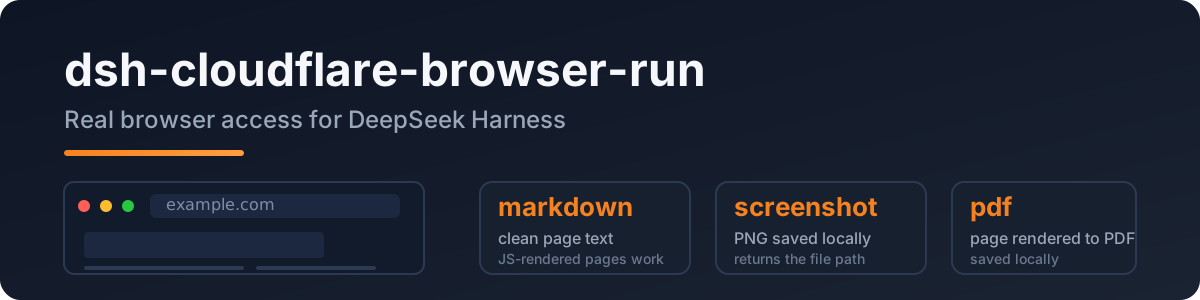
dsh-cloudflare-browser-run
A DeepSeek Harness plugin that gives the agent real browser access: headless Chrome on Cloudflare's network, so JS-rendered pages, screenshots, and PDFs all just work.
Port of pi-cloudflare-browser-run, built to the dsh (Cordis) plugin spec.
English · 中文
Why
The built-in web_fetch is a plain HTTP fetch — JS pages come back empty and SSRF protection is deferred upstream. This plugin adds a real browser:
- clean markdown from any public page (SPA/JS included)
- screenshots (PNG) and PDFs
- login-capable sessions and WebMCP sites
Quick start
dsh plugin add dsh-cloudflare-browser-run
Configure credentials in your profile/settings layer:
- id: browser-run
  name: dsh-cloudflare-browser-run
  config:
    cf_api_token_ref: CF_API_TOKEN   # env var name — recommended
    cf_account_id: <your account id>
Token: Cloudflare dashboard → API Tokens → Browser Rendering: Edit template.
Account id: dash.cloudflare.com/<ACCOUNT_ID>/....
Tools
| tool | what it does |
|---|---|
browse | fetch a public URL → clean markdown (default); action = screenshot | pdf |
screenshot | save the page as PNG locally, returns the file path |
pdf | save the page as PDF locally, returns the file path |
Config
| key | required | meaning |
|---|---|---|
cf_api_token_ref | * | env-var name of the API token (resolved via ctx.credentials) |
cf_api_token | * | direct token value (fallback) |
cf_account_id | ✅ | your Cloudflare account id |
cf_api_base | – | API base override |
output_dir | – | where screenshots/PDFs land (default OS temp) |
* one of the two token keys.
Privacy
- Public web only: every URL passes an SSRF guard (localhost / private IPs / IPv6 literals / userinfo rejected) before the API is called.
- The token is resolved per operation via
ctx.credentials— never logged, never stored by the plugin. - Browser Run identifies itself as a well-behaved bot, the compliant way to fetch.
Development
npm install
npm run typecheck
npm test          # SSRF guard / config / API shape
npm run build
Live API test (not part of npm test):
DSH_TEST_CF_TOKEN=<token> DSH_TEST_CF_ACCOUNT=<account> node --import tsx tests/real/real-cf.mjs
License
MIT
Related DeepSeek Harness Plugins
Browse Browser →
DeepSeek Harness (DSH) Web 插件聚合生态 · 万物皆插件,通过创意工坊分发||DeepSeek Harness (DSH) Web Plugin Aggregation Ecosystem · Everything is a plugin, distributed via the Creative Workshop

本地私有、开源的自进化跨平台 AI 内容发现 Agent:先理解你,再主动从 B站、小红书、抖音、YouTube、X、知乎、Reddit、微博等平台与开放 Web 寻找内容。(支持 deepseek harness 插件) | Local-first open-source cross-platform AI content discovery agent: understands you, then proactively finds content across Bilibili, Xiaohongshu, Douyin, YouTube, X, Zhihu, Reddit, Weibo and the open web.(support deepseek harness plugin)

The best DeepSeek Harness plugin for context insight and management, with context dashboard / browser / sidebar and context command, for context statistics, composition, breakdown, evolution details, understanding how the context is made of, and how it evolves. 一站式 DeepSeek Harness 上下文可视化插件,Context 面板及浏览器和侧边栏与 Context 命令,透视上下文组成、演进、压缩、剪枝等事件与动作。

[dsh]为纯文本模型设计更强大的视觉工具箱:一行安装使用、粘贴图片直接识别、多张图片问答、截图到前端UI 还原等|DeepSeek Harness-native integration for agent-vision-toolkit: image Q&A, long-screenshot OCR, UI restoration, grounding, pixel diff, Artifacts, and Web UI.