

DSH Mobile
☆ 25A community-built DeepSeek Harness plugin indexed from its public source repository.
Get this plugin
Review the source, then continue to the publisher.
dsh plugin --profile web add "https://github.com/lehhair/dsh-mobile/releases/latest/download/dsh-external-dsh-mobile.tgz"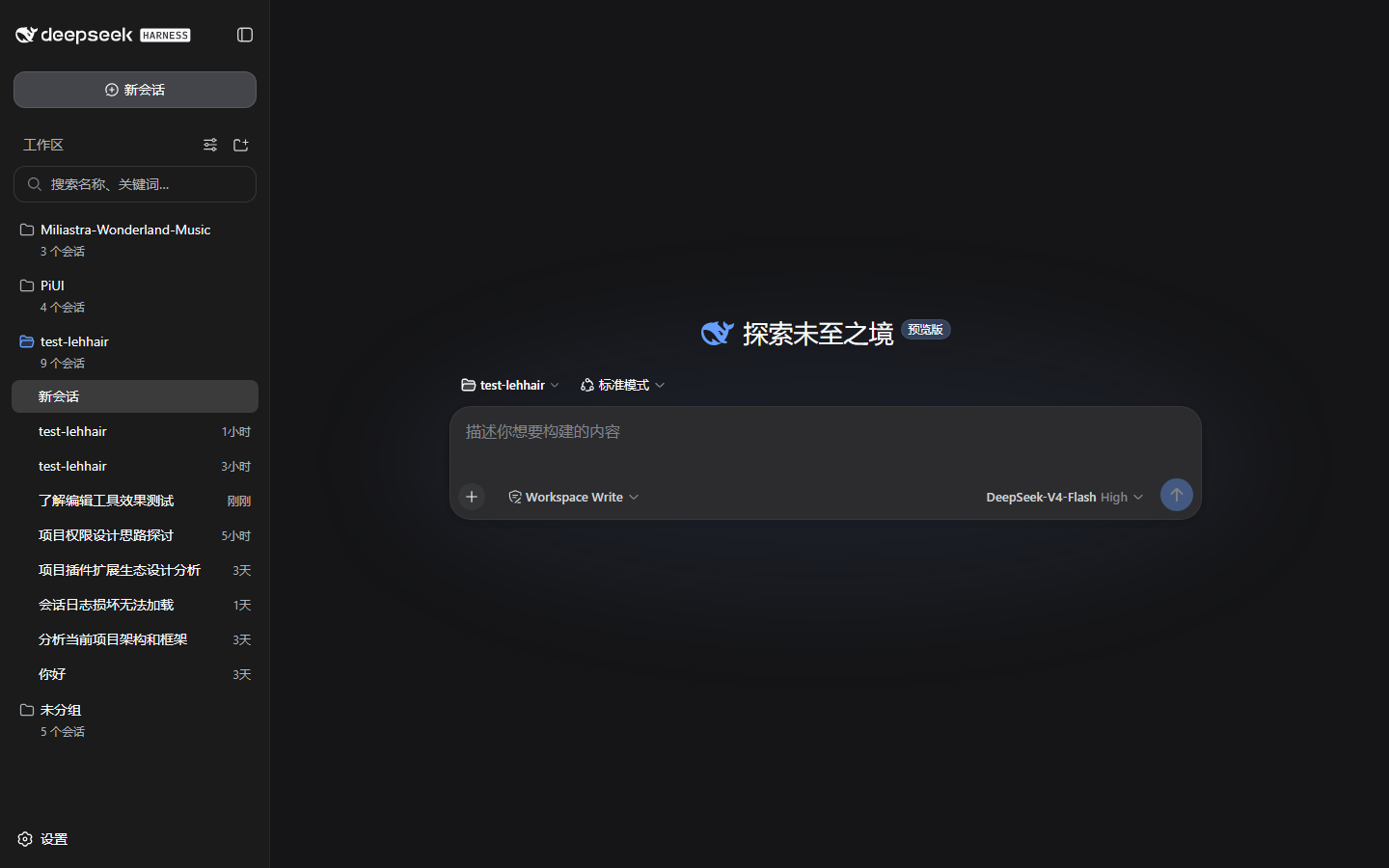
About this plugin
Source snapshot 8/18/2026dsh-mobile
DSH WebUI 移动端适配插件(PiUI 翻页器结构):窄屏下框架本身就是横向 scroll-snap 翻页器,两页卡片——半开侧边栏页(min(360px, 50vw))+ 全宽聊天页。滑到侧边栏页后聊天卡片仍在右边露出一半(PiUI 同款 overlayWidth 效果),聊天渲染零改动。纯客户端适配,零核心改动——官方 rc.2 发行版直接可用。
功能
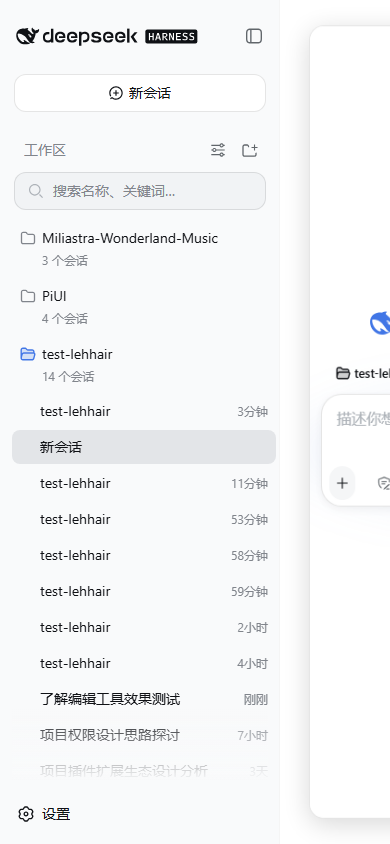
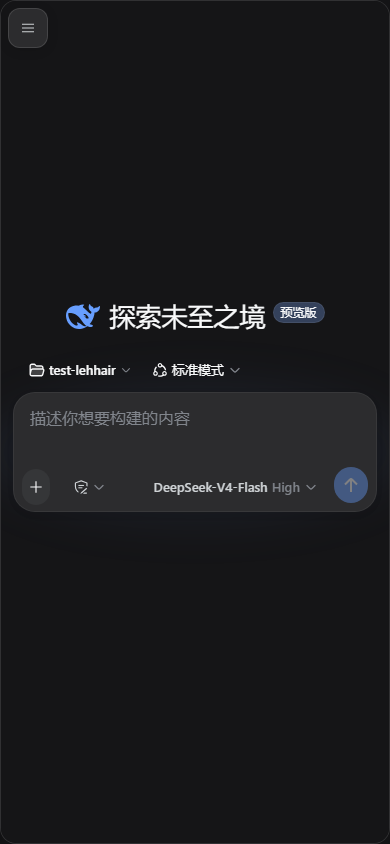
- PiUI 翻页器:≤768px 时三栏框架重排为两页横向 snap 轨道——侧边栏页半开宽(约半个视口),聊天页全宽;滑到侧边栏页时聊天卡片在右半露出(半边信息流),PiUI 同款结构
- 侧边栏始终完整渲染:窄屏下控制器自动展开 AppFrame 折叠的侧边栏并保持(滑动翻页不同步状态)——侧边栏列的内容在聊天全屏时也完整留在 DOM 里,滑回来立即可见,绝不"滑动才跟着渲染"
- 同色区分:侧边栏与信息流同色(平页,无圆角阴影);只有信息流是卡片(16px 圆角 + 阴影 + 细边框),PiUI 同款视觉
- PiUI 3D 翻页:滚动时聊天卡片
rotateY/scale跟随(transform-origin偏向滑动侧),prefers-reduced-motion关闭 - 吸附修正:滑动停止后自动吸附最近整页(滑不到位自动回弹/修正),永不卡半页
- 安全区与键盘:
viewport-fit=cover+ safe-area env() 变量 + visualViewport 驱动的--dshm-keyboard-inset;100dvh动态视口 - 原生视觉:桌面宽度下逐字节等同原生(全部规则以
<html data-dsh-mobile>为作用域,卸载即恢复原样)
效果
| 桌面(原生三栏) | 手机(侧边栏半开,聊天露半边) | 手机(聊天全屏) |
|---|---|---|
|  |  |
安装
git clone https://github.com/dsh-external/dsh-mobile.git
dsh plugin --profile web add link:E:/dev/dsh-mobile
重启 dsh web,用手机模式(DevTools 设备模拟)或真实手机访问即可。
使用
- 初始:侧边栏半开常驻(左侧平页 + 右侧半边聊天卡片)
- 聊天全屏:手指向左拖;回侧边栏:手指向右拖(跨过中点自动吸附整页)
- 桌面不受影响:≥769px 时框架恢复三栏
设计约束(为什么是 CSS + 轻量控制器,而不是替换 root)
- dsh 的
root槽位是框架内建的single槽,由 ui-layout 独占——插件不能替换 AppFrame(single slot already has a registration直接抛错) - 因此翻页器直接作用于 AppFrame 本身:CSS 把 grid 轨道重排为两页(
min(360px, 50vw) 100% 0)+overflow-x: auto+scroll-snap,控制器只滚动它、镜像页面状态、并在滑动结束后吸附+同步——全部基于稳定 data 属性(data-sidebar-collapsed/data-details-collapsed,rc.2 与工作区快照一致)与对话骨架的 data 座位,不依赖任何哈希类名 - 已知限制:详情列在窄屏下仍遵循框架让步链自动关闭(核心行为,插件不越权),故 pager 只有两页
- 键盘 inset 依赖
visualViewport(现代浏览器/PWA 均有);不支持时退化为 0
开发
pnpm install        # devDeps link 到 ../dsh2026/test-lehhair(DSH 源码,需先构建其 client 包)
pnpm run check      # typecheck + test + build
src/client/
  controller.ts      # DOM 控制器:viewport meta、翻页镜像、键盘 inset、FAB、选会话回聊天页
  mobile.css         # 全局移动端样式表(<style data-plugin> 注入,卸载即移除)
  MobileMenuButton.tsx  # 页头 ☰(header.actions 槽位,order -10)
  locales.ts         # 中英文案
License
BSD-3-Clause
Related DeepSeek Harness Plugins
Browse Developer Tools →
为 DeepSeek Harness (DSH) 插件生态打造的现代化桌面端解决方案。万物皆「插件」,桌面本身也是「插件」。

The plugin market inside DeepSeek Harness — browse, search, one-click install · DSH 可视化插件市场

Whale Girl skin series for DeepSeek Harness. 适用于 DeepSeek Harness 的,鲸鱼娘系列皮肤。

把 DeepSeek Harness 装进你的口袋:电脑上跑 dsh web,手机扫码即同步访问(局域网 + 公网,实时同屏)Put DeepSeek Harness in your pocket: run dsh web on your computer and access it synchronously by scanning a QR code on your phone (LAN + public network, real‑time screen mirroring)