

orbis
☆ 15A mobile client for deepseek harness remote control
Get this plugin
Review the source, then continue to the publisher.
About this plugin
Source snapshot 9/1/2026Orbis
English | 简体中文
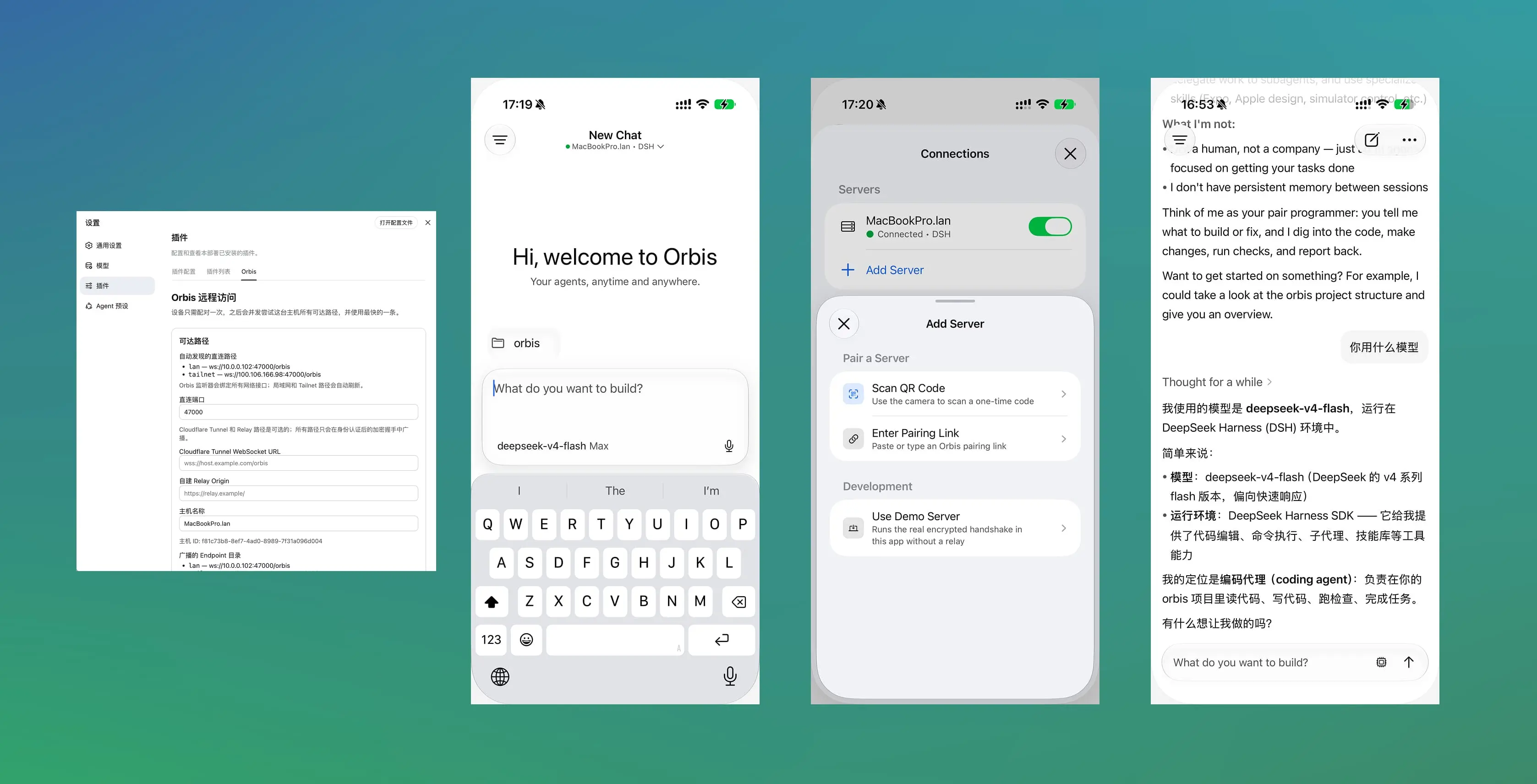
Orbis is a remote control client for Deepseek Harness (DSH).
The Orbis plugin provides device pairing, end-to-end encrypted transport, and real-time updates across multiple devices.
Getting Started
- Download the Orbis app. It is currently in beta. iOS: Join TesFlight. Android: Working in progress.
- Install the Orbis plugin into DSH.
npx @deepseek-ai/dsh plugin --profile web add @orbisapp/remote-dsh@latest
- Configure the plugin and pair your device from the DSH web plugin page (Settings - Plugins - Orbis tab).
Development
Install dependencies at the repository root, then use a single command to build the plugin, install it into your local DSH Web profile, and start the test page:
pnpm install
pnpm run serve:dsh
The page is served at http://127.0.0.1:3080 by default. Pass flags to change the port or
point at a specific test directory:
pnpm run serve:dsh --port 3090
pnpm run serve:dsh --workspace-root /path/to/workspace
pnpm run serve:dsh --help
Testing
pnpm run check:core   # typecheck + tests for everything that builds from this repository alone
pnpm run check:dsh    # typechecks and tests the plugin and client entry points against the public DSH SDK
CI runs check:core on every push and every pull request, and again before a release.
check:dsh uses the public @deepseek-ai/* SDK packages installed by the workspace.
Releasing
Releases are driven by Changesets. Ship every user-visible change with a changeset and commit it alongside the change:
pnpm changeset
Changesets maintains one draft release pull request containing all pending changesets. Keep that pull request open while changes accumulate. When the complete release is ready, review the combined version and changelog, mark the pull request as ready, and merge it to publish the release. Changes that do not affect a published package do not need a changeset.
Write release-level highlights and upgrade notes in .changeset/.release-notes/next.md, using
heading level 3 (###) or lower. The version script prepends that Markdown to the generated package
changelog, so the draft release pull request and final GitHub Release show the same notes before the
Changesets list. The release pull request consumes and clears the file for the next release.
Community
Wechat Group
License
Apache-2.0
Related DeepSeek Harness Plugins
Browse Developer Tools →
为 DeepSeek Harness (DSH) 插件生态打造的现代化桌面端解决方案。万物皆「插件」,桌面本身也是「插件」。

The plugin market inside DeepSeek Harness — browse, search, one-click install · DSH 可视化插件市场

Whale Girl skin series for DeepSeek Harness. 适用于 DeepSeek Harness 的,鲸鱼娘系列皮肤。

把 DeepSeek Harness 装进你的口袋:电脑上跑 dsh web,手机扫码即同步访问(局域网 + 公网,实时同屏)Put DeepSeek Harness in your pocket: run dsh web on your computer and access it synchronously by scanning a QR code on your phone (LAN + public network, real‑time screen mirroring)