

DSH Pentest
☆ 532面向 DeepSeek Harness(dsh)的渗透测试模式 @CloverSecLabs
Get this plugin
Review the source, then continue to the publisher.
dsh plugin --profile web add https://github.com/howmp/dsh-pentest/releases/latest/download/dsh-pentest.tar.gzAbout this plugin
Source snapshot 8/18/2026dsh-pentest — DSH 渗透测试模式
面向 DeepSeek Harness(dsh)的渗透测试模式: 在授权范围内记录目标、探索线索、验证结果、资产与漏洞,并在 Web 中以探索链路、漏洞和资产视图展示。
本目录是自包含 bundle 包(@howmp/dsh-pentest):宿主插件、Web 界面和 sqlite 后端通过包内 exports
一同分发。Release 资产可直接由 dsh plugin add 安装。
安装
从 Release URL 安装
dsh plugin --profile web add https://github.com/howmp/dsh-pentest/releases/latest/download/dsh-pentest.tar.gz
或下载后从本地文件安装
dsh plugin --profile web add file:C:\path\to\dsh-pentest.tar.gz
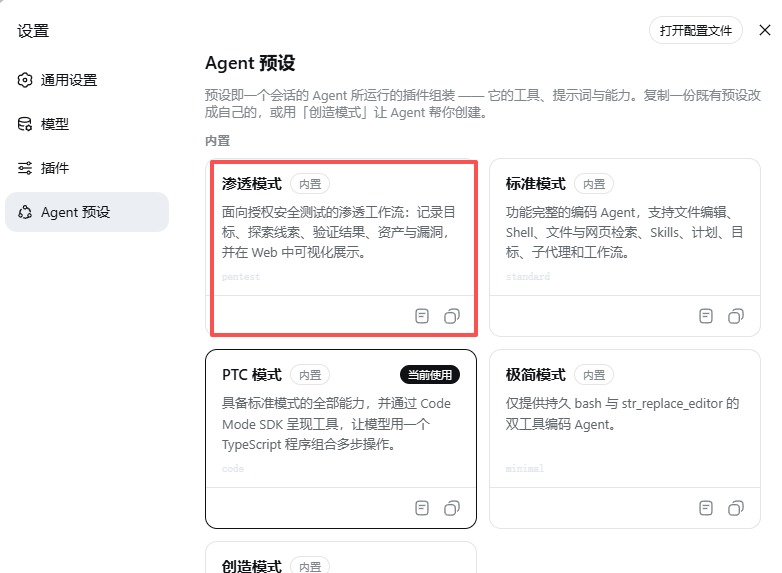
重启 dsh 后,在新会话中选择自动注册的「渗透模式」。
界面预览
模式选择
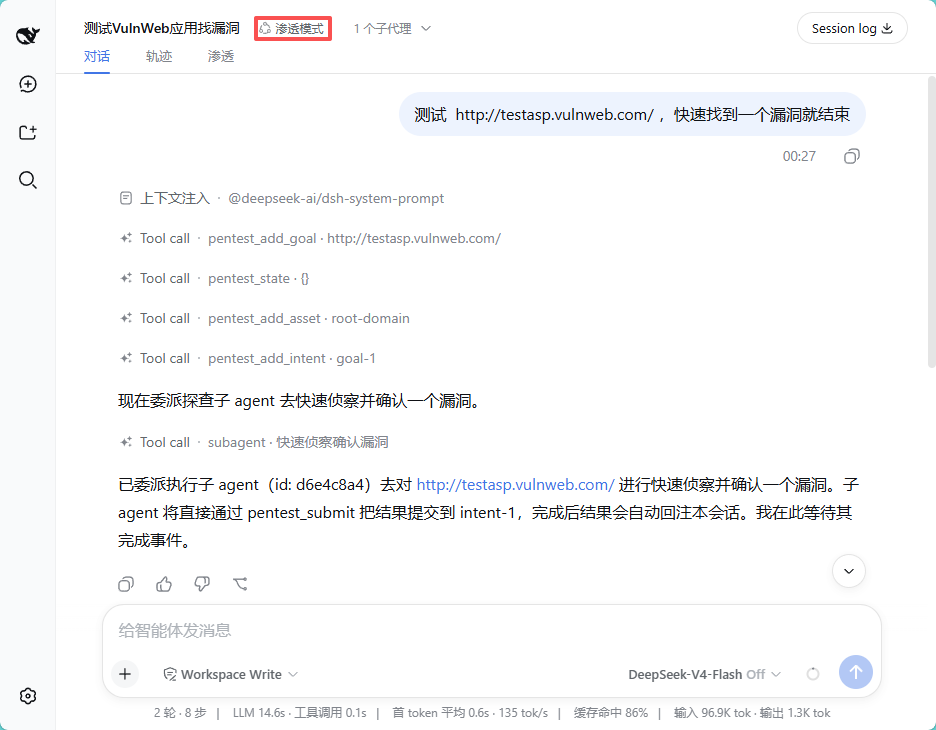
对话与执行
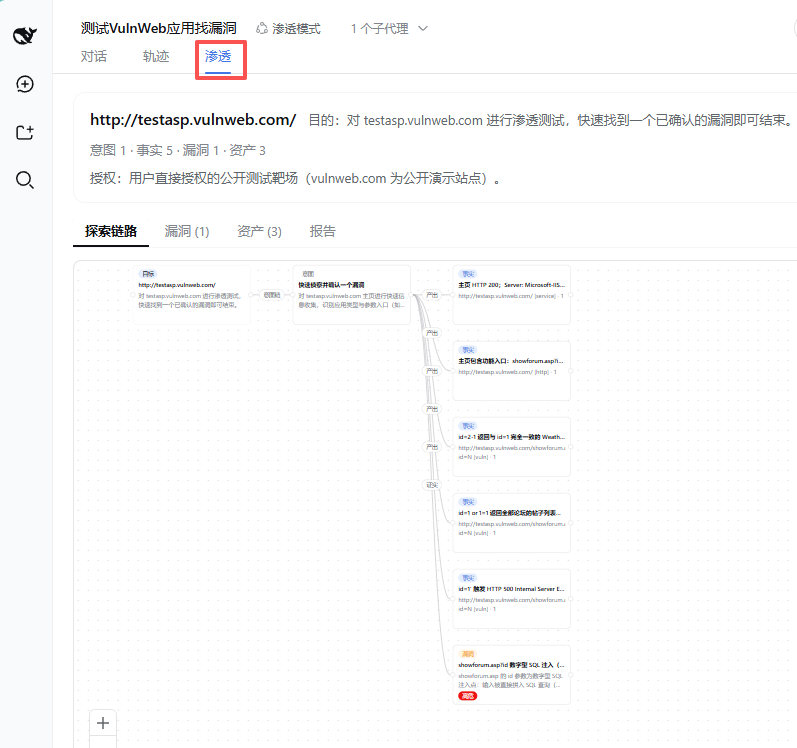
探索链路
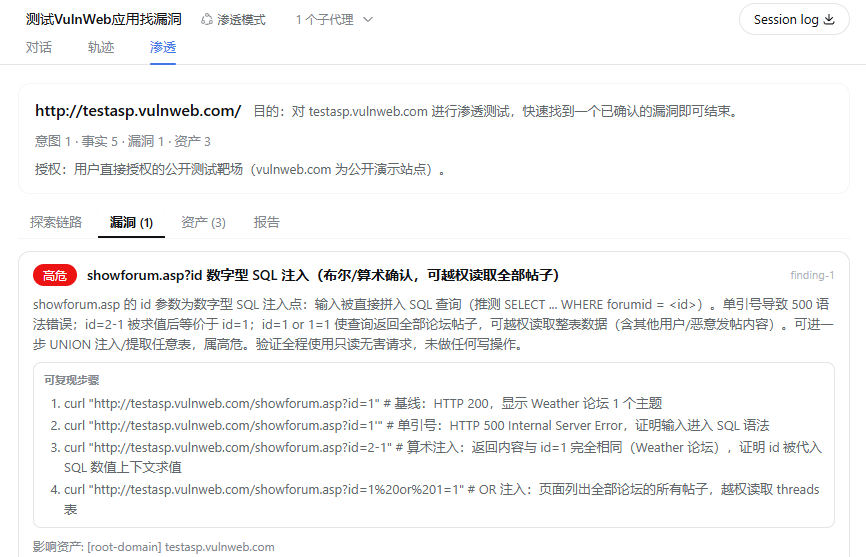
漏洞视图
资产视图
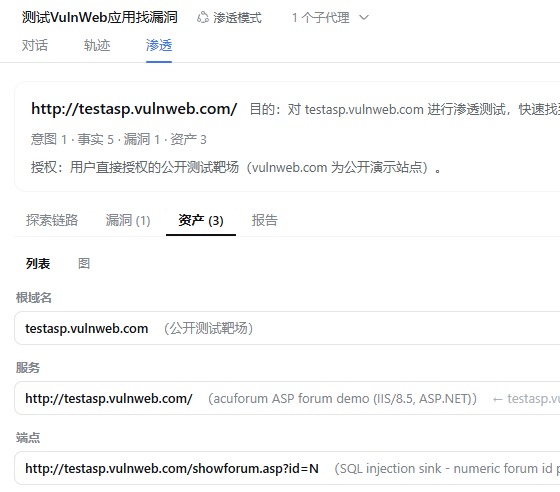
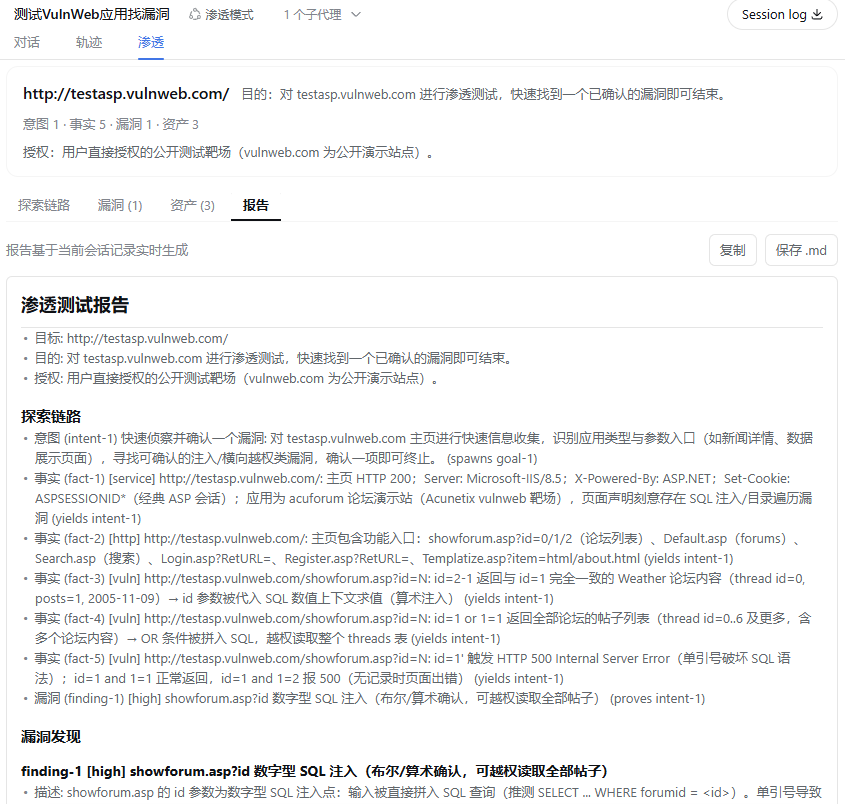
测试报告
架构速览
- 领域模型(
src/dsh-pentest/src/spec.ts):storage domainpentest(version 2)——goals/intents/facts/findings/assets/edges六张表。边即链路词汇:spawns(goal→intent)、yields(intent→fact)、derived_from(fact→intent)、proves(intent→finding),资产关系用parent(asset→asset)。finding 必填reproducibleSteps(至少一条)。 - 确定性 id(
store.ts):节点/边 id 为<kind>-<n>(按会话计数,goal 重置后归零)——工具返回 id 供模型 跨调用引用,会话投影从日志纯重放同一张图。 - 工具(
tools.ts):pentest_submit(子 agent 直写指定父 intent)/pentest_add_goal(重置整图)/pentest_add_intent(恰好一个锚点)/pentest_add_fact/pentest_add_finding(步骤必填,可关联影响资产)/pentest_add_asset(可选 parentId, 空字符串视为根资产)/pentest_state/pentest_graph/pentest_report。 - 会话投影(
projection.ts):折叠已日志化的pentest_*调用为{ goal, nodes, assets, edges, counts }, 镜像 store 的引用拒绝;上限各 200。 - Web 标签页(
src/dsh-client-ui-pentest):按会话注册(当前会话或列表祖先链含pentest预设即显示, 非渗透会话隐藏);四个子标签——探索链路(@xyflow/react 图,边带关系胶囊:意图链/产出/推导自/证实)、 漏洞(严重度/描述/可复现步骤/影响资产)、资产(列表/图两种模式)、报告(Markdown 渲染、复制与保存)。 - 协议(
instructions.ts):系统提示词段pentest:protocol(order 50),沿链路推进、子 agent 通过pentest_submit直写父 intent、资产先父后子、与用户交互一律中文。
已知边界
- 数据库:渗透记录写入
$DSH_HOME/storages/pentest-sessions.db(sqlite,经 bundle 补丁路由)。 宿主其它域的存储不受影响(仍为宿主默认 json 后端)。 - 授权:只测试有授权的目标。
pentest_add_goal的authorization参数可填写授权说明(授权对象 / 书面许可引用),会写入状态与最终报告留痕;它只是审计事实,不是门禁——扫描/利用动作仍受部署沙箱与 审批约束。 - 记录按单会话作用域,无跨会话/项目续跑;重新开始一次 engagement 需新的
pentest_add_goal。 - 图布局为静态分层(可平移缩放,节点不可拖拽)。
目录结构
dsh-pentest/                   # 项目根 = bundle 包 @howmp/dsh-pentest(零依赖,自包含)
├── package.json               # bundle manifest:dsh.bundle.patch + dsh.client + exports 子路径
├── cordis.patch.yml           # 补丁层:UI、sqlite 后端与 storage-domain 路由
├── lib/                       # 构建产物(npm pack 的内容)
│   ├── index.js               #   包入口:空 apply
│   ├── pentest.js             #   宿主渗透插件:8 个 pentest_* 工具 + 协议注入 + 会话投影
│   ├── preset-root.js          #   注册包内只读「渗透模式」预设目录(兼容 DSH rc.6)
│   ├── storage-sqlite.js      #   渗透记录专用的 sqlite 后端(node:sqlite)
│   ├── ui-pentest.js          #   Web 插件宿主半:空 apply
│   ├── ui-pentest.client.js   #   Web 插件浏览器半:渗透视图标签页(3 个子标签,@xyflow/react 内联)
│   └── invariant.js           #   探索图不变量伴生(与官方各包同构,生产环境不加载)
├── src/                       # 源码快照(继续开发/重新构建用)
│   ├── index.ts / invariant.ts
│   ├── dsh-pentest/               # host 包源码:src/ + tests/ + tsconfig + tsdown + README
│   └── dsh-client-ui-pentest/     # client 包源码:src/client/(视图/图布局/注册)+ tests/
├── tests/bundle.spec.ts       # bundle 补丁层测试
├── packages/                  # 三个构建好的子包(仅作构建源保留;bundle 不再依赖它们)
│   ├── dsh-pentest/               # host 插件源码构建产物
│   ├── dsh-client-ui-pentest/     # Web 界面插件源码构建产物
│   └── dsh-storage-sqlite/        # sqlite 后端构建产物(来自 dsh 仓库,无独立源码)
├── preset/pentest/            # 「渗透模式」agent 预设(由 bundle 自动注册)
├── images/                    # README 界面预览截图
└── README.md
参考项目
- ARTEX
Related DeepSeek Harness Plugins
Browse Developer Tools →
为 DeepSeek Harness (DSH) 插件生态打造的现代化桌面端解决方案。万物皆「插件」,桌面本身也是「插件」。

The plugin market inside DeepSeek Harness — browse, search, one-click install · DSH 可视化插件市场

Whale Girl skin series for DeepSeek Harness. 适用于 DeepSeek Harness 的,鲸鱼娘系列皮肤。

把 DeepSeek Harness 装进你的口袋:电脑上跑 dsh web,手机扫码即同步访问(局域网 + 公网,实时同屏)Put DeepSeek Harness in your pocket: run dsh web on your computer and access it synchronously by scanning a QR code on your phone (LAN + public network, real‑time screen mirroring)