

DSH Focus Chat
☆ 4提供新的「聚焦会话」精简会话视图,更轻松易于阅读,只关注最终产出结果。
Get this plugin
Review the source, then continue to the publisher.
dsh plugin add @dingyi222666/dsh-focus-chat@latest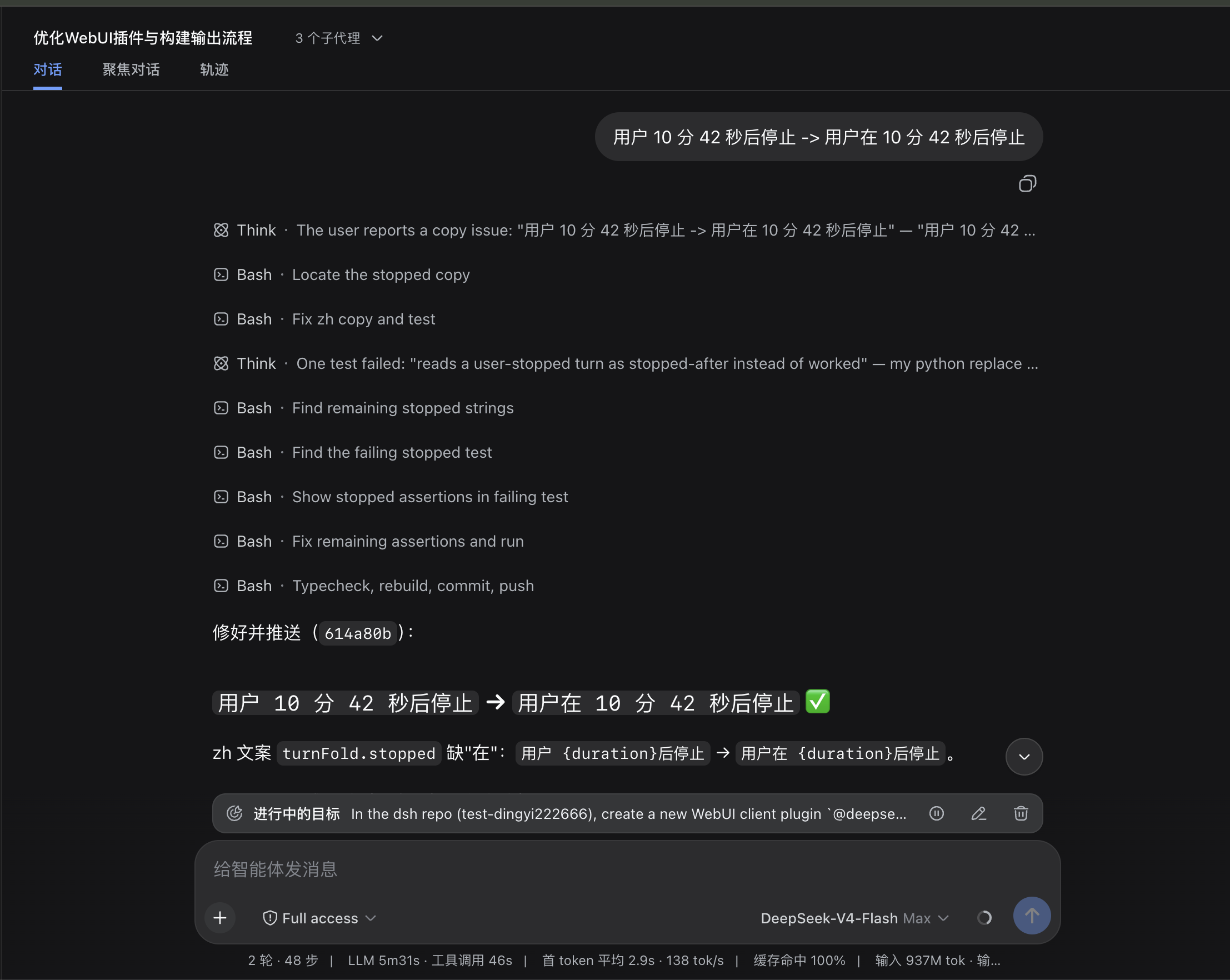
About this plugin
Source snapshot 8/13/2026dsh-focus-chat

English | 中文
A plugin for the dsh web GUI that adds a focus chat tab — a condensed, Claude Code–style way to read a conversation.
Install
# 从 npm 安装(需要 dsh >= 0.1.0-rc.6)
dsh plugin --profile web add @dingyi222666/dsh-focus-chat
# 重启 dsh web,工具自动挂载
dsh web
Then open the 聚焦对话 / Focus chat tab in any conversation.
Notes:
dsh pluginbehaves like adding a dependency to your web profile; the plugin's bundle patch applies automatically on the next boot.- With the repo source-launched CLI, run the args through the bin directly (
node --import tsx/esm apps/cli/src/bin.ts ...).
Screenshots
Off — the normal chat view:
On — the focus chat view:
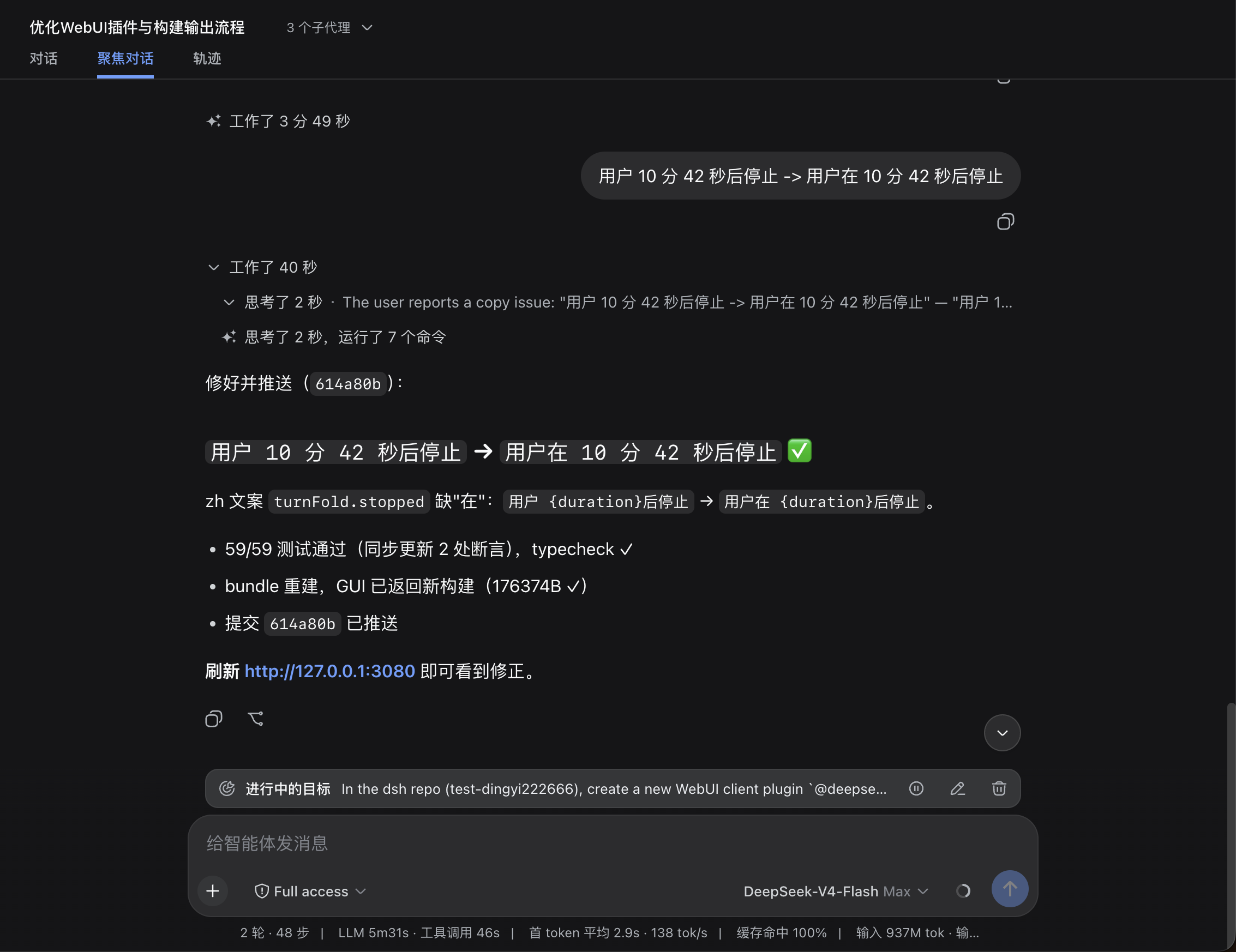
Instead of watching every step live, one assistant turn collapses into a single summary line:
思考了 36 秒,载入了 3 项上下文,运行了 2 个命令,编辑了 8 次,读取了 17 个文件,列出了 18 个目录 (Thought for 36s, loaded 3 context items, ran 2 shell commands, edited 8 files, read 17 files, listed 18 directories)
…and the whole turn can fold into one 工作了 X 分 Y 秒 / Worked for Xm Ys line. Click any line to expand the full detail — tool cards, thinking, context injections, produced files, copy/fork actions — all drawn the same way as the normal chat rows. Your mid-turn interjections split the fold into per-stretch lines, each carrying its own duration, and a stopped turn reads 用户 X 后停止 / Stopped after X instead of "worked". When a context injection records its own one-line account — a tool-tasks background-task settlement like bash pnpm install [status: completed] — that account rides the summary line too (注入了 … / injected …), not just the loaded N context items count.
Switch to it whenever you want the "what happened?" view, and flip back for the full transcript.
Why a separate tab, and not a patch into the chat view?
Short answer: the chat view's internals aren't open to third-party plugins — by design — and this plugin deliberately never touches dsh's own source. Concretely:
- Keyed slots are owned, not shared. The chat's rows render through slots like
conversation.chat.node,tool.call.toolview, andconversation.chat.turnTail. Those slots are declared by the chat entries themselves, and the slot system rejects a second declaration at load time — the conflict is the design speaking. A plugin cannot insert its own rows into the chat transcript, and cannot even declare the chat's own slots. - Plugins can't reuse the chat's renderer code. Importing values from another plugin package across the bundle boundary is forbidden (the bundle purity gate), so there's no way to borrow the chat's components — every row has to be drawn from the shared primitives and the public snapshot.
- The only legal insertion point is the
conversation.viewlist slot — the whole message surface. That's why the plugin ships its own complete view instead of changing how the chat view displays.
If you want the chat view itself to behave differently, that's an in-repo change to the chat package — exactly what this plugin avoids.
What's missing
Focus chat is a faithful reading surface, not a second chat view:
- No Inspect / details-panel deep links. The chat's Inspect affordance needs internals plugins can't touch. The tool cards render the same content, just without the jump-to-details button.
- Third-party tool-card extensions don't render here. Cards that other plugins add to the chat view won't appear in the focus view; the built-in card renderers are used instead.
- Folding is per consecutive tool-run. Any visible content between two runs (a reply, a command, your interjection) keeps them separate.
- Inline file links need the optional file-mentions service — the same off switch the chat view uses.
Development
yarn run build— builds the browser bundle and the Node half.src/client/focus-model.ts— the pure logic (folding, merging, row models);src/client/FocusView.tsx— the view.yarn test— behavior tests;yarn run typecheck— type gate.- A
--devdsh webserver hot-reloads rebuilt bundles —yarn run buildalone is usually enough to see changes.
Model Experience
None. The view is a pure client derivation over the already-logged conversation snapshot; nothing here reaches a model request.
KV Cache effect
None; this package neither assembles nor sends provider requests.
Related DeepSeek Harness Plugins
Browse Developer Tools →
一个侧边栏的完整工作台,支持三方拓展注册新Tab页面,内置文件渲染编辑/终端/Git/子代理

DSH Web 鲸鱼娘皮肤系列(深海女仆工坊 maid-atelier)——CC BY-NC-SA 4.0

Open DeepSeek Harness workspace directories in VS Code directly from the web GUI.

Obsidian 零成本同步:iPhone ↔ Mac,GitHub 自动备份。本地优先 + 长期积累。|Local First. Zero-cost Obsidian sync across iPhone, Mac & GitHub. Let knowledge grow over time.